

UserVoice customer feedback scoring puts urgency, customer-rated importance, and account reach next to every idea, so you see which requests need attention first.
Ideas · sorted by scoreWhich requests need attention first?


Lets us quickly see over time what is rising to the top and what may or may not be important.
We have over 1500 suggestions today and UserVoice makes it easy for us to organize everything.
Vote counts tell you how many people clicked. Each score answers a different question about who is asking and how much it matters.
Scores appear as columns in the idea grid, next to status, category, and owner. Sort by any of them, filter to the ideas that need a look, and save the view for your next triage.
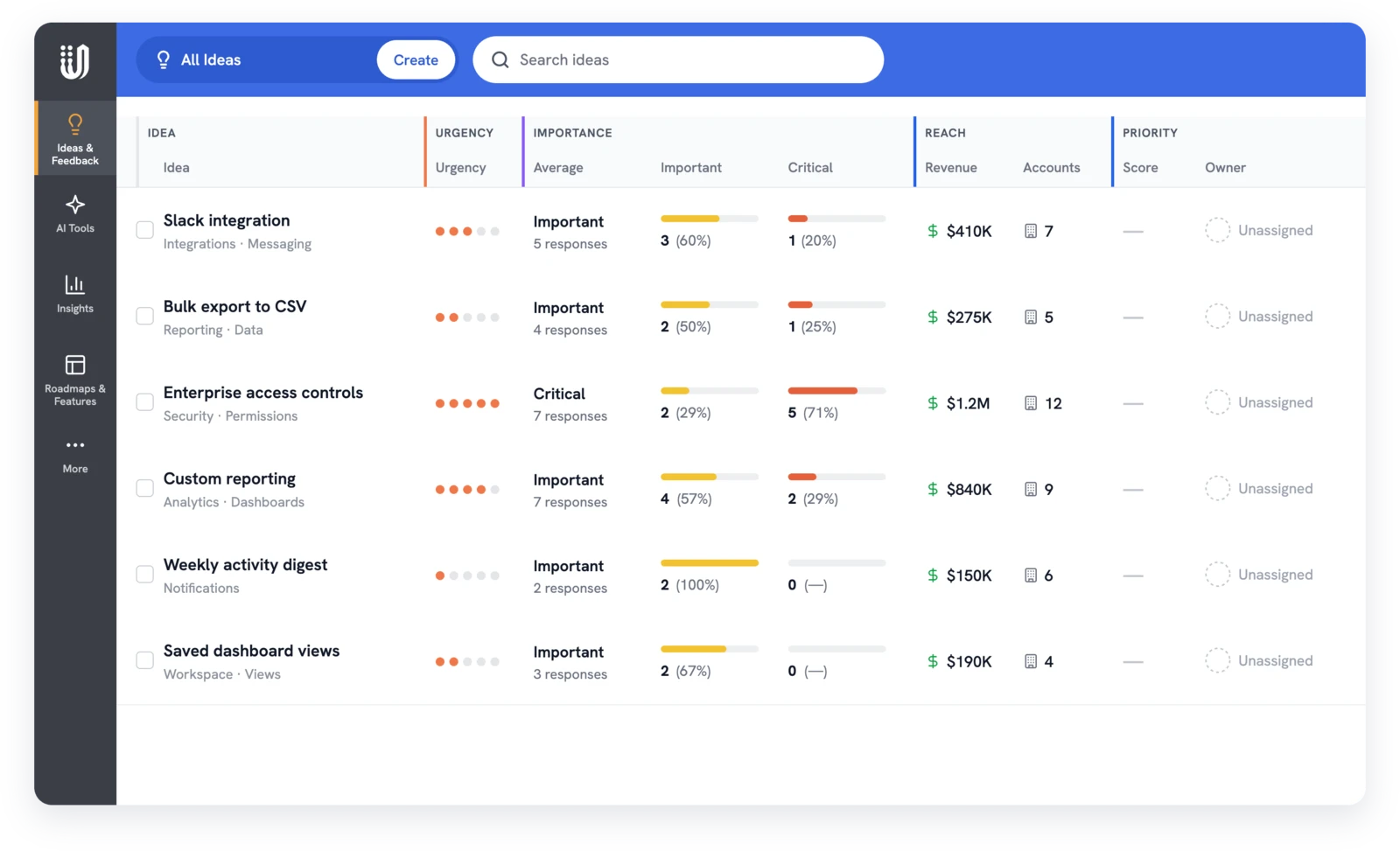
Each team reads the scores for a different decision. They all look at the same idea, with the customer's words one click away.
Open any idea and its scores sit at the top: revenue, accounts, votes, importance ratings, and an urgency score out of 5. The Insights tab breaks importance down by level, with counts and percentages.
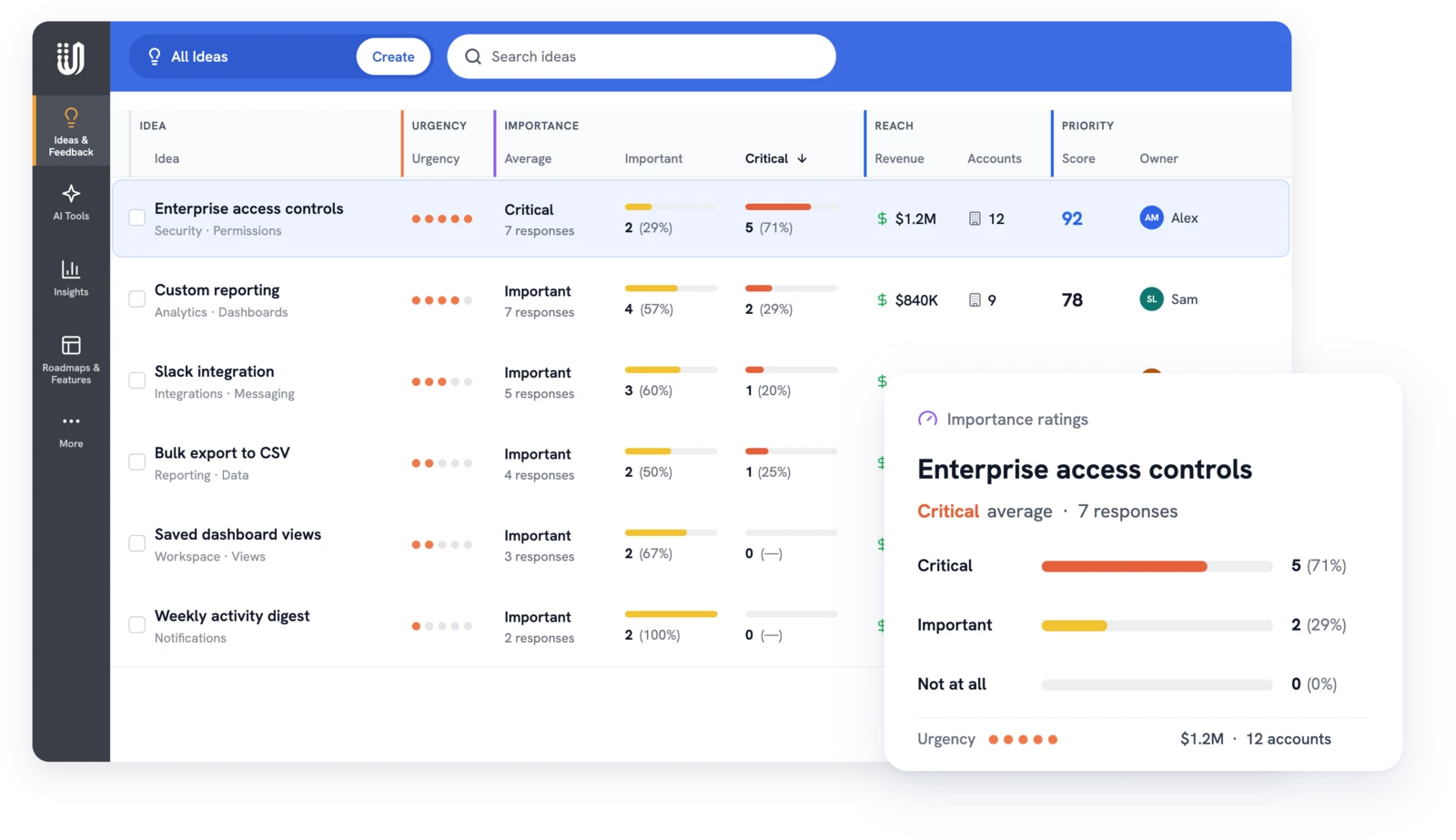
Three scores, three sources. Use them together; none of them makes the decision alone.
Urgency starts scoring on its own. Importance and reach take a few minutes of setup.
Switch on the Importance Scale for each forum where customers should rate ideas.
Rename each level in up to 15 characters and choose which levels count as a vote.
Sync accounts from Salesforce or HubSpot so reach shows revenue. See the CRM sync guide.
The UserVoice agent and the UserVoice MCP server can sort ideas by revenue, accounts, or importance, and each answer follows the admin's own permissions.
Scores start the conversation. Use them with the customer's words, effort, and strategy, then plan the work on an internal roadmap. For more on weighing requests, see how to prioritize customer needs.

Urgency is AI's read of the feedback itself: business impact and tone. Importance is the customer telling you how much the idea matters to them.
Each idea, comment, and piece of feedback gets a 1-5 score. An idea's urgency is the average of the scores on its own text, comments, and feedback.
Yes. Rename each of the three levels in up to 15 characters, restore the defaults anytime, and choose which levels count as a vote.
No. It adds up the revenue of supporting accounts as your CRM stores it, counting each account once. It doesn't forecast new sales or saved renewals.
Admins who can edit feedback see it. Contributors see it only if your account allows it, and everyone else sees no revenue at all.
Yes. An admin with billing access can switch urgency scores off, and they disappear from the grid, the idea, filters, and exports.
Get a free 30-day trial after your demo, see your own customer feedback in a real account.
Book a demo

