Customer communication

Close the loop with feature request status updates

Send feature request status updates to the customers who asked, brief your team privately, and see which accounts heard back, all from the idea.
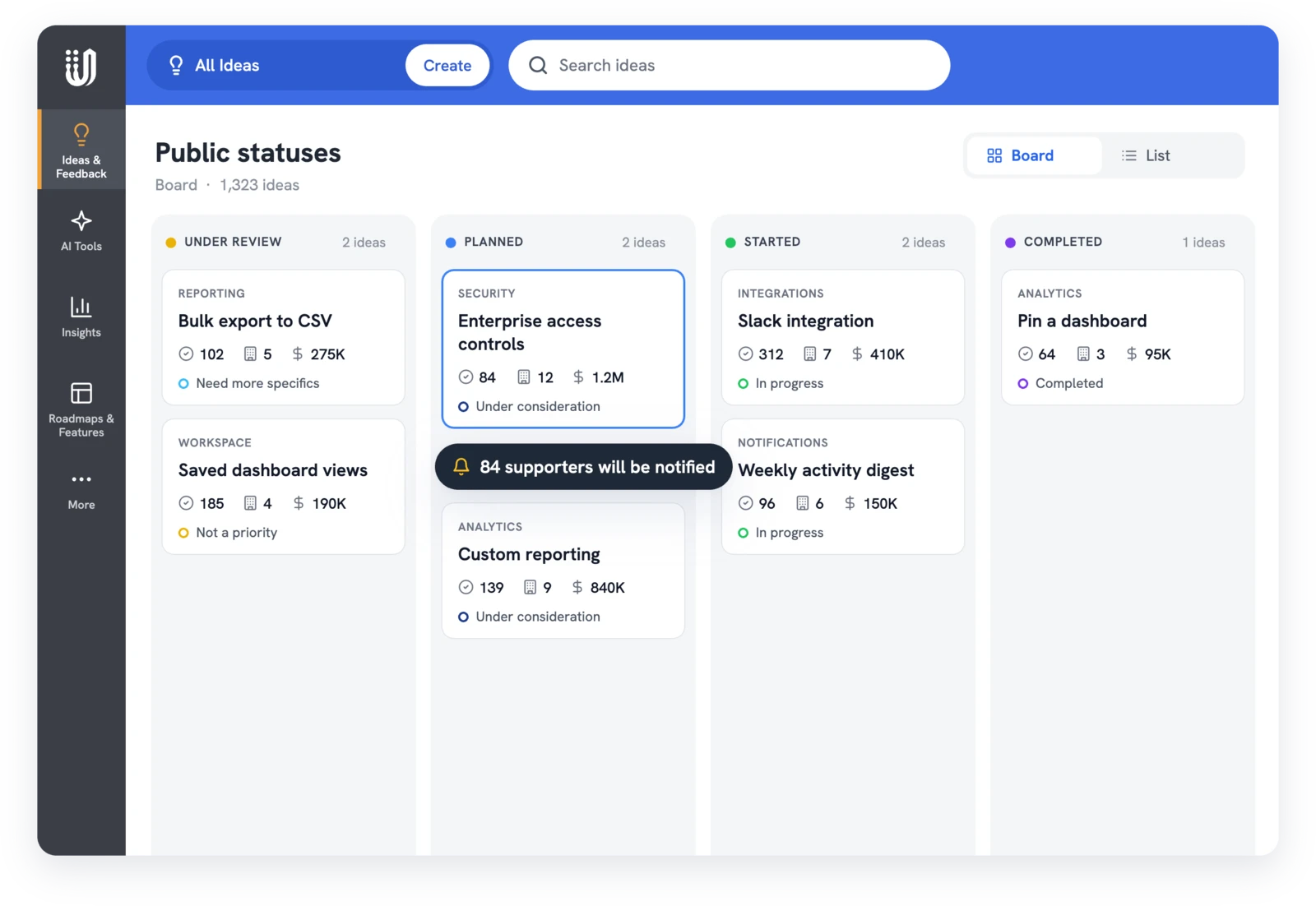
UserVoice public status board moving an idea to Planned, with 84 supporters to be notified

What users say on G2

Read all 240+ reviews on G2
The ability to update the internal or external status of any feedback is great, with the ability to specify and email those that have voted for an item.
Josue T.
Mid-Market (51-1,000 employees), verified review on G2
The best part is that we can update the status of the issue so that the user is also updated of the progress.
Rachit J.
Lead Software Engineer, Enterprise, verified review on G2
On your portal

Show progress where customers asked

Customers who ask for something and hear nothing stop asking. Every idea has a public status customers see and an internal status only your team sees. Change either one, add a message, and choose who hears about it.
  • Public status with a message on the portal and in the email
  • Template messages for each status, ready to edit
  • See exactly who will be emailed before you post
  • Update without emailing customers when you prefer
  • Choose a reply-to address for the email
Explore the feedback portal →
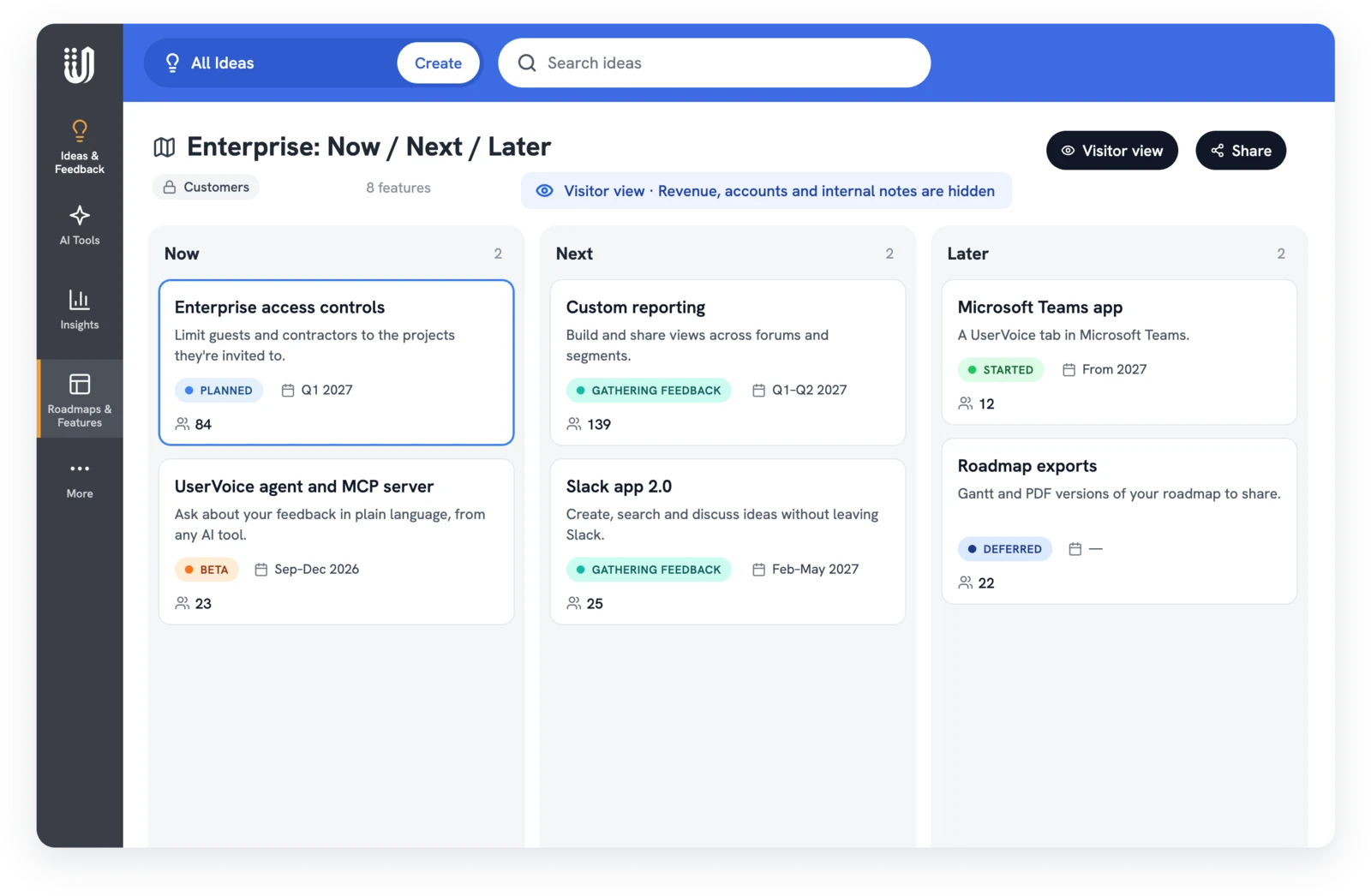
UserVoice internal roadmap beside the public roadmap customers see, with vote counts and statuses
Outcomes

Customers stop chasing answers

What changes when the people who asked hear what happened.
Customers stop chasing answers
Subscribed supporters get an email when the idea moves, so they don't open a ticket or ask their account manager to find out.
Your team tells one story
Teammates who captured the feedback hear about public changes, and internal statuses explain decisions before the next call.
Proof the loop closed
The Activity Report counts status updates and the voters and accounts each one reached, with revenue addressed when account data is on.
How it works

Post feature request status updates in five steps

Supporters subscribe when they vote on the portal, use the widget, or are added by your team. The Chrome extension has a Subscribe user to updates checkbox when you capture feedback for a customer.

Each person's own notification settings still apply, and every email has an unsubscribe link. The email shows the old and new status, your message, and a link to the idea. Teammates who captured feedback get a copy with the words they captured. The statuses guide covers setup.

Post an update
1
Pick the status
Public for customers, internal for your team.
2
Write the message
Start from the status template or write your own.
3
Check the audience
See how many subscribers, teammates, and contributors will be emailed.
4
Choose to notify
Leave Email subscribers unchecked to update quietly.
5
Post it
It shows on the portal and in each person's inbox.
Who hears what

The right update for every audience

Each kind of update reaches a different group. Check the audience before you post, because a status change can't be unsent.

Update
Who gets it
Best for
Public status
Subscribed supporters, if you choose, plus teammates who captured feedback on the idea
Telling customers what changed and why
Internal status
Admins who support the idea, admins following all status updates, and contributors
Explaining a decision before customers hear it
Email subscribers
The idea's subscribed supporters
Follow-up questions, betas, and design previews
Comments
Subscribed supporters who turned on comment emails
Ongoing discussion on the portal
The channels you choose
Keeping customer-facing teams in the loop
By role

Feature request status updates every team can use

Closing the loop is shared work. Each team owns a different part of the message.

Product teams
PMs post the public status and message when a decision is made, and move cards on the Idea Status Board. See product teams and updating customers from the board.
Customer success
CSMs hear when an idea their customer asked for moves, so they follow up the same day. See customer success.
Sales teams
Reps read the internal status before a call, so they know what to say about a gap without promising a date. Revenue teams get the context first.
Support teams
Agents subscribe customers when they link a Zendesk ticket to an idea, so the status email answers the next ticket before it's opened. See customer feedback for support teams.
Product marketing
PMMs announce shipped ideas to everyone who asked, then reuse the same message for release notes. See announcing shipped features.
Executive teams
Executive teams see how many customers and accounts heard back each month, in the Activity Report. See reporting to leadership.
Keep listening

Keep the conversation going after you post

A status isn't the only time to write. Before you commit to a design, ask the people who requested it whether it solves their problem. Email an idea's subscribed supporters to ask a question or share a design. Their replies come back to UserVoice and sit in the idea's activity, visible to admins, not posted publicly.
  • Write a subject and message, with attachments
  • Read replies on the idea, not in someone's inbox
  • Supporters react to a status email with a thumbs up or down
  • Merged ideas can tell subscribers what was combined
  • The Activity Report shows statuses updated, voters impacted, and accounts affected
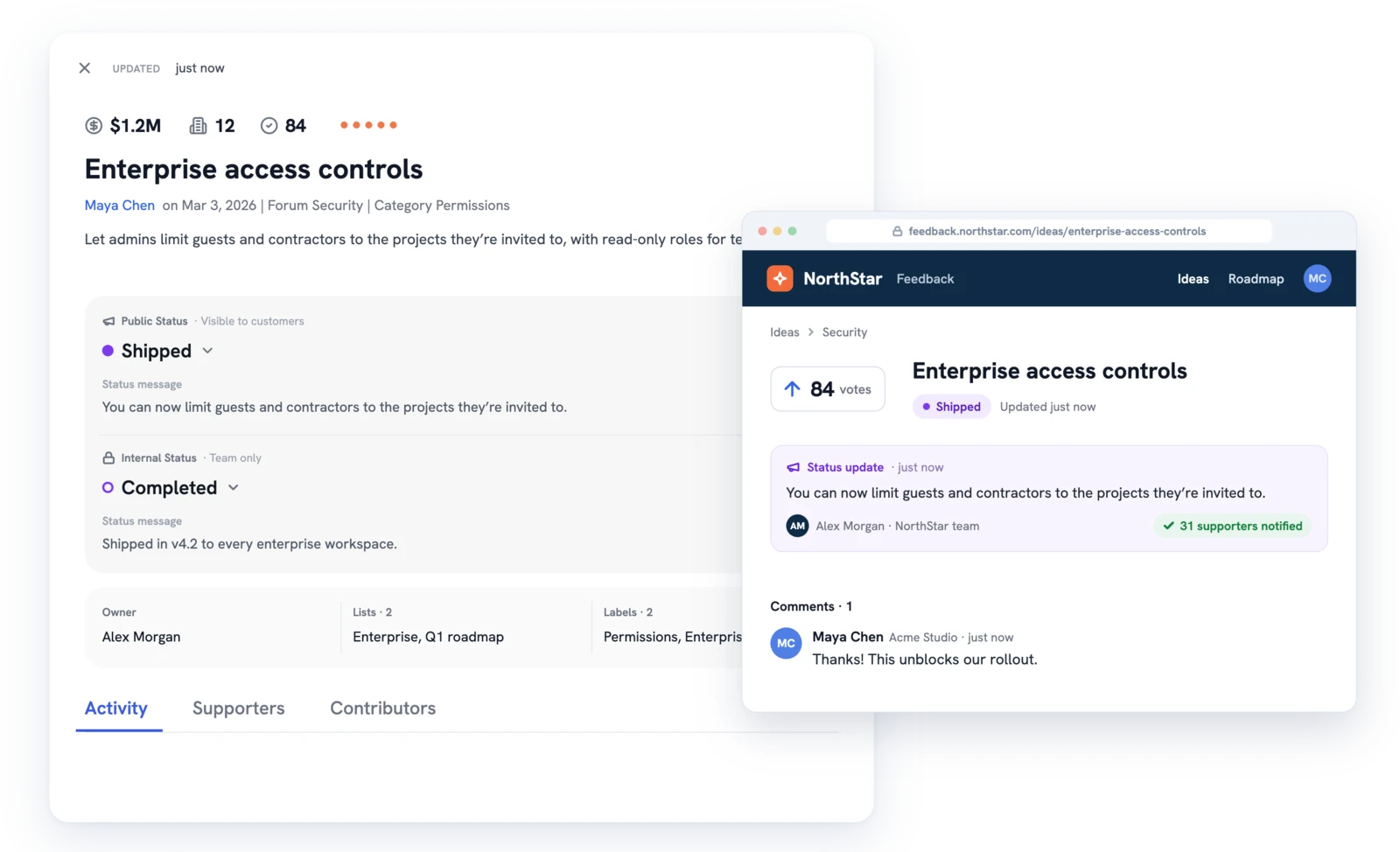
UserVoice idea marked Shipped next to the customer portal showing the status update and a customer reply
Before you send

Send feature request status updates without surprises

A few rules keep updates useful and avoid surprises.

Subscribers only
Customer emails reach people subscribed to the idea.
No unsend
A status change can't be undone.
Teammates hear too
Anyone who captured feedback is emailed on a public change.
Comments stay quiet
Comment emails are off for customers by default.
AI and MCP

Draft the update in one message

The UserVoice agent and the UserVoice MCP server can find ideas, draft updates, and change statuses. Before anything changes, they show who will be emailed and wait for you to confirm.

Find who to tell
List the accounts behind recently completed ideas. See how to ask the agent.
Which accounts supported the ideas we completed this month?
Find what slipped
Spot popular ideas that haven't moved in a while.
Which ideas with the most supporters have no status change in 90 days?
Draft, then post
Write the update from the idea's history, then post it when you're happy. The MCP playbook has more.
Draft a status update for the bulk edit idea. Don't post it yet.

Feature request status updates: your questions, answered

Do customers get an email for every status change?

Only if you choose. Each update has an Email subscribers checkbox. Leave it unchecked and customers aren't emailed, though teammates who captured feedback still are. For why every answer matters, even a no, read why you shouldn't ignore customer feedback.

Do customers get an email for every comment?

No. Comment emails are off for customers by default. An admin can turn them on for new users, and each person can change their own setting.

Are replies to supporter emails public?

No. Replies come back to UserVoice and show in the idea's activity for admins. They don't become portal comments.

Can we use our own sender address?

Yes, once your sending domain passes SPF and DKIM checks. Ask us during your demo about setting it up for your account.

Can we update many ideas at once?

Yes. Select ideas in the idea grid and change their public status together, with one message and one notify choice.

Can our Slack or Teams channels see updates?

Yes. Choose which channels get public status updates, internal status updates, and new comments. Slack channels can also see reactions to status emails.

Can view-only admins send updates through the agent?

No. View-only admins can read through the agent and MCP. Changing a status needs permission to edit feedback.

Keep exploring

Go deeper where it matters

Show customers they were heard

Get a free 30-day trial after your demo, see your own customer feedback in a real account.

Book a demo