

Capture sales feature requests on the Salesforce opportunity, see the open and lost revenue behind every product gap, and call buyers back when it ships.
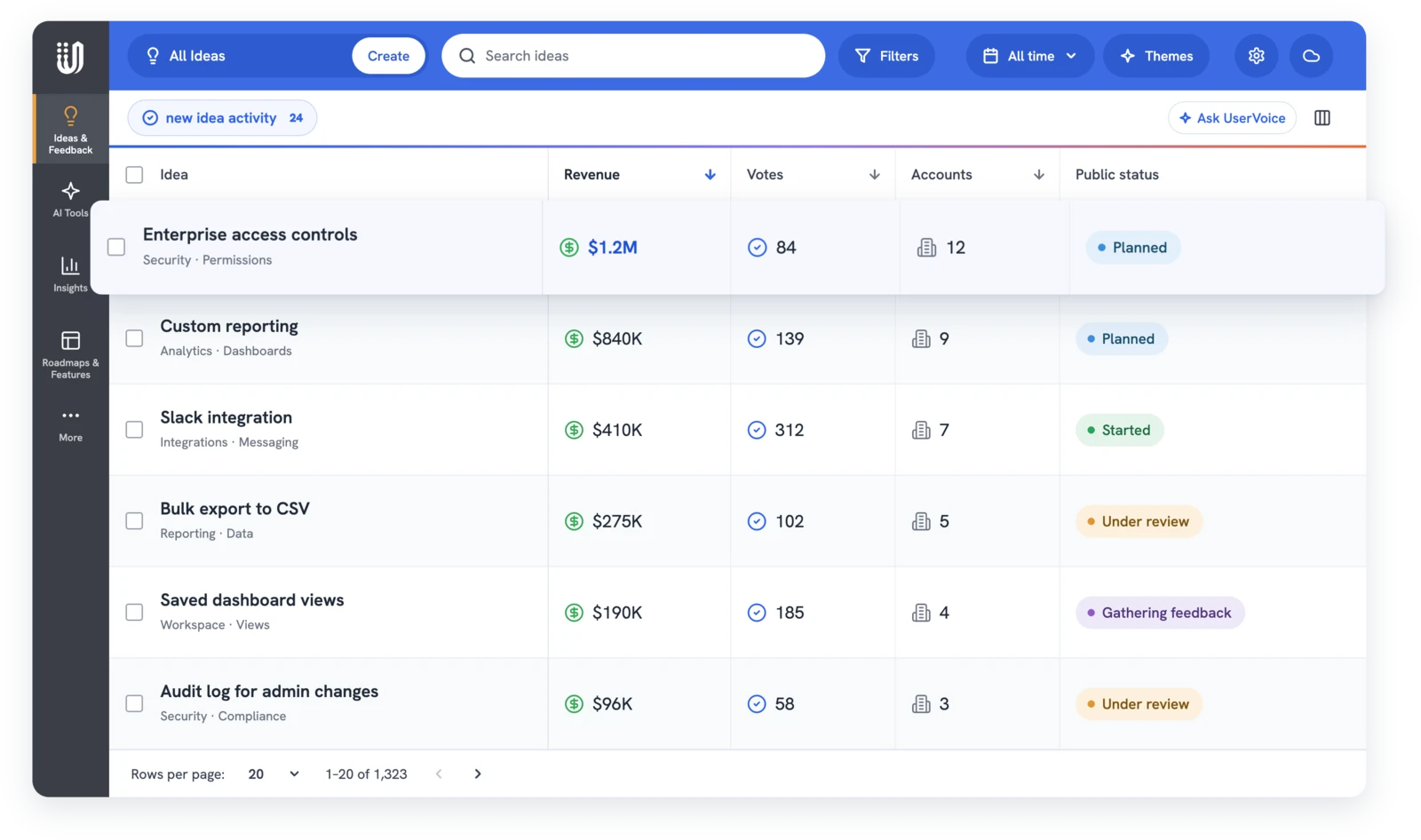


Our customer support and sales enter requests from customers so we could make sure we were capturing not only requests existing customers had but also prospect customers.
CSMs can submit feedback on behalf of a user, so we always have a way to quantify a feature request with the accounts and users that want it.
Reps hear about product gaps on every call, but the buyer's words rarely reach product with the deal attached. The Salesforce Feedback and Opportunity Sidebar adds a UserVoice Feedback card to your Salesforce record pages. On an opportunity, a rep picks the buyer from the deal's contacts, writes what they need, and links it to an existing idea or creates one. See the Salesforce integration.
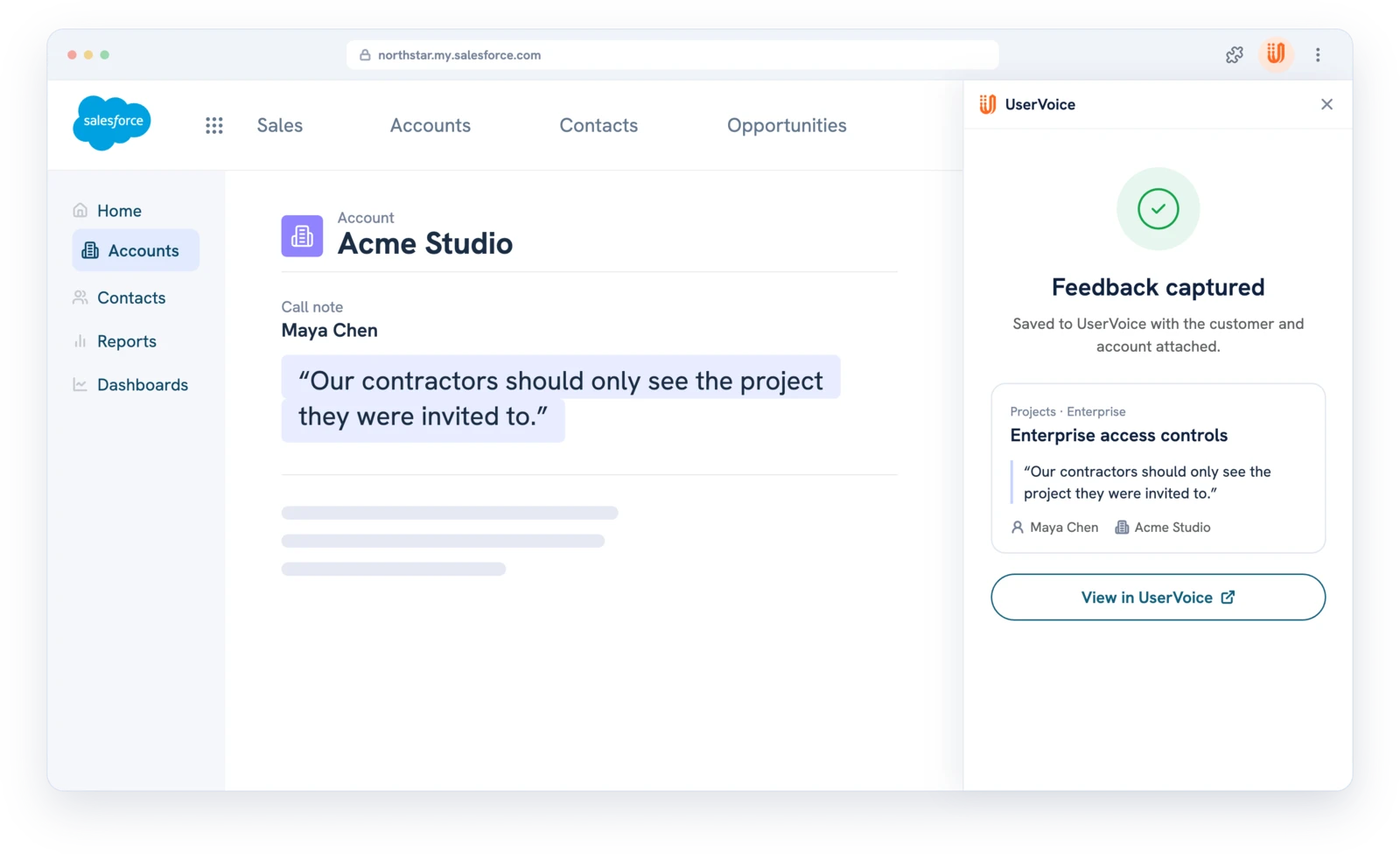
Each capture links to its opportunity, so UserVoice knows the deal's name, amount, and whether it's open, won, or lost. The idea grid adds those up per idea, counting each opportunity once, and roadmap features roll up the totals of their linked ideas.
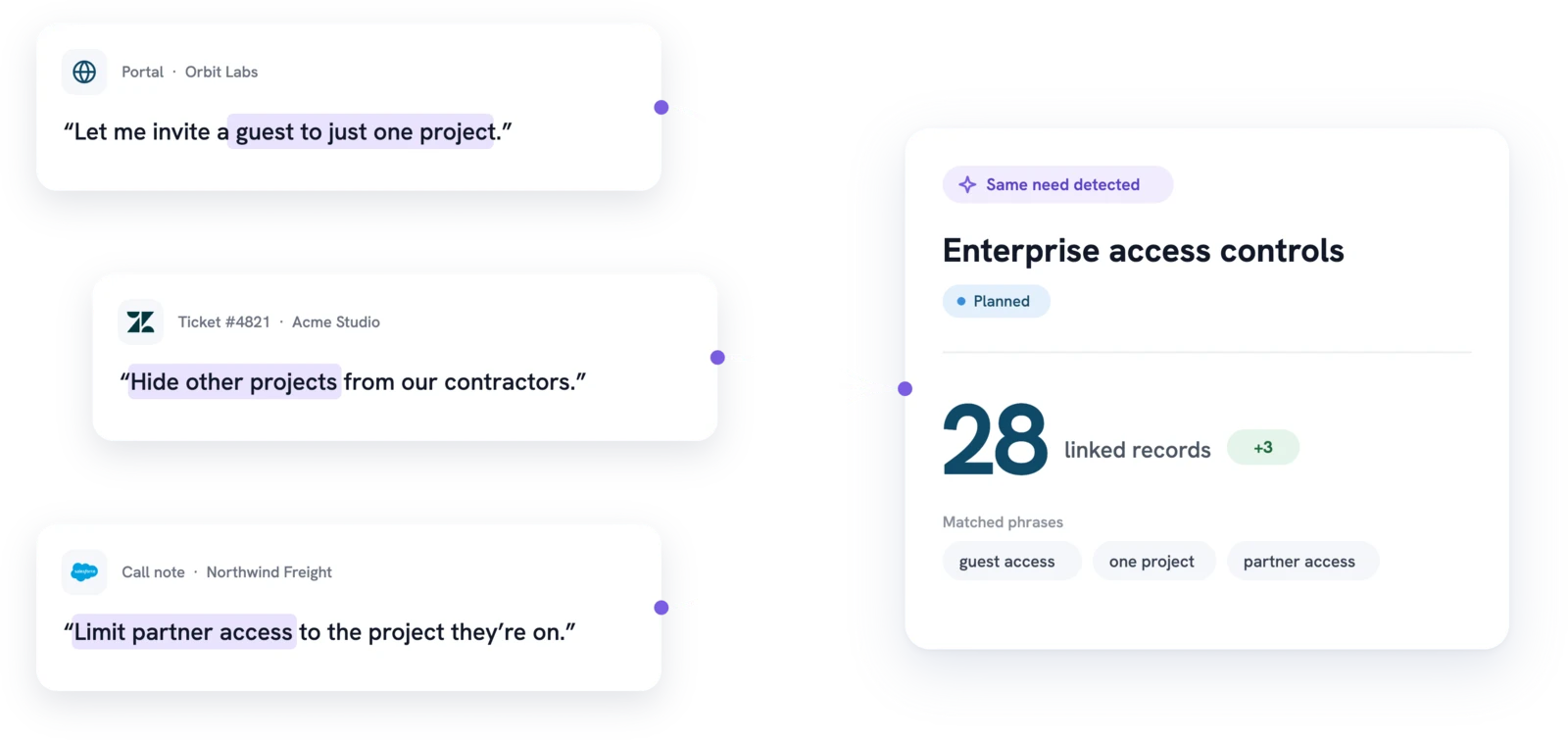
Requests from prospects and from customers you want to expand both count, and Account Insights shows them side by side by account status.
Every captured request sets up a reason to call the buyer back later. Captures sync to Salesforce with the idea's title, status, and supporters, so reps see progress without leaving the CRM. When the work ships, announce it to everyone who asked with a status update.
The rep saves the buyer's words on the deal and subscribes them to updates.
Product posts the public status. Subscribed buyers are emailed when you notify, and the rep is always emailed.
Lost Revenue and the Feedback on Lost Opportunities report show which deals waited on it.
Each team uses the same captures for a different job, from the first call to the expansion.
UserVoice helps us turn customer feedback into shared intelligence across the business. As more teams engage, we get stronger insights, better analytics, and real momentum toward embedding the customer voice into our decision-making.

Ariana Newton
We can quickly surface a complete, data-backed view of every client interaction (questions, feedback, and responses) and turn that into clear insights for renewals. It shows customers we’re listening and acting on what they tell us.

Kathryn Doebler
There are a lot of problems to solve out there, and spending time on something that isn’t the most impactful for our users is heartbreaking. UserVoice challenges me to look at the overall picture of the struggles that our customers as a whole.

Megan Fangmeyer
The UserVoice agent and the UserVoice MCP server answer from account status and account revenue, in the admin console or in your own assistant over MCP. Opportunity amounts stay in the idea grid.

The rep captures it from the opportunity in Salesforce. The feedback links to that opportunity, so its amount and stage count on the idea.
Opportunity revenue comes from the Salesforce Amount field by default. Account revenue comes from your CRM sync. Potential Revenue is the full amount of every open linked deal, not a weighted forecast.
Yes. Lost Opportunities and Lost Revenue show on each idea, and the package's Salesforce reports list feedback on lost opportunities with the idea's latest status.
HubSpot syncs companies and contacts, not deals. Capture with the Chrome extension and use account status and revenue instead.
Feedback on lost opportunities, feedback on open opportunities, feedback by opportunity owner, feedback over time, and feedback with recent status updates, plus an Opportunities and Feedback dashboard.
No. Captured feedback is private to your team. The buyer only gets status emails if they're subscribed and you choose to notify.
Get a free 30-day trial after your demo, see your own customer feedback in a real account.
Book a demo

