

See the revenue behind every product gap, capture what prospects need from Salesforce, and know which renewing accounts are still waiting.
Audit log export and regional data hosting lead the list. Each idea links to the accounts, contacts and renewal dates behind it.


Every lost deal and every churned account has a story about what the product could not do. Left in call notes, those stories never reach the roadmap.
A request in a call note has no account, no amount and no owner, so product can't weigh it.
Important requests that waited too long often explain a hard renewal, months after anyone could act.
Reps guess at whether something is planned, then over-promise or under-sell.
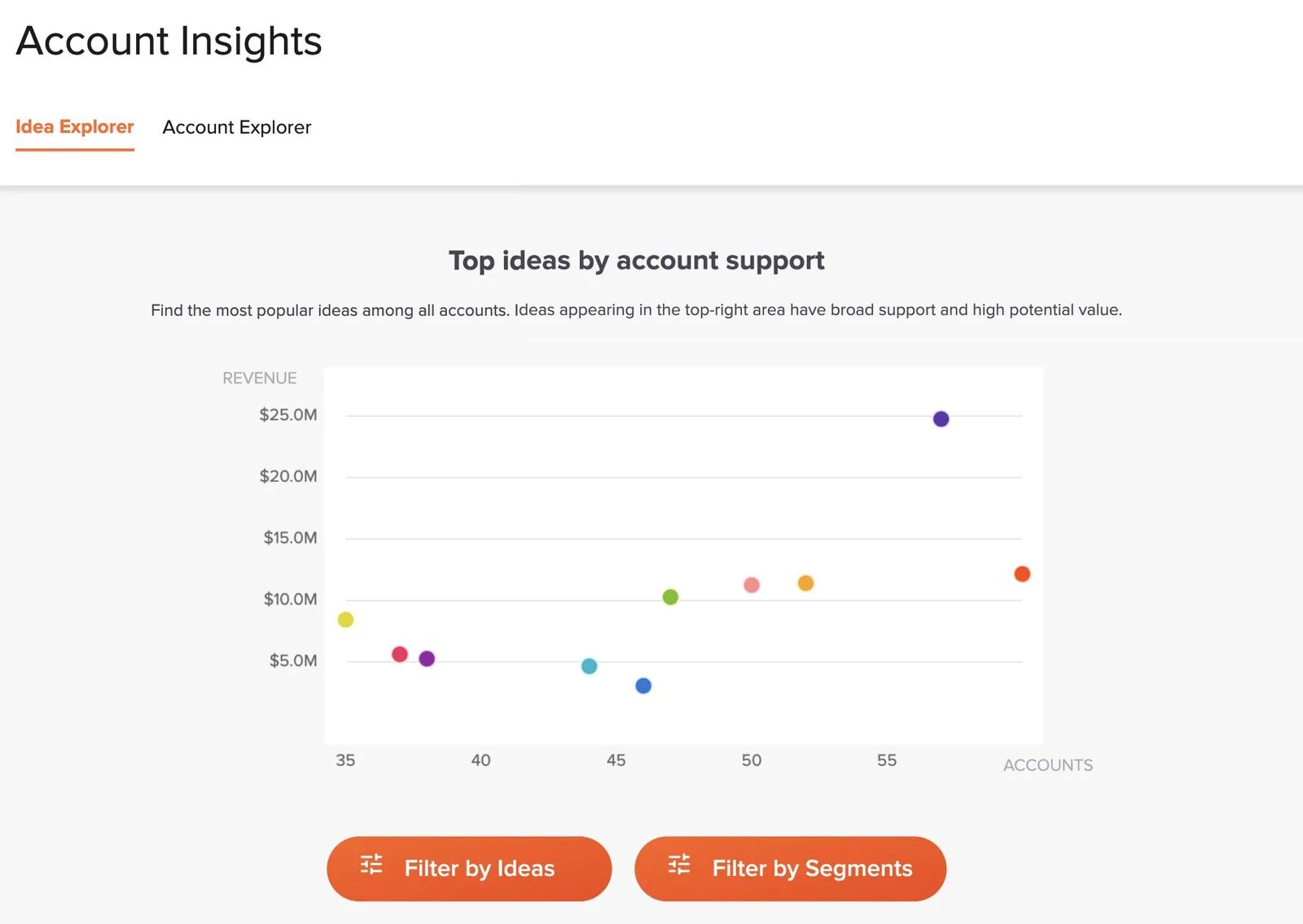
Sync accounts and contacts from Salesforce or HubSpot, and every idea shows the customers and revenue behind it, from current customers and from deals. Account Insights filters ideas by plan, segment, industry or account status, such as closed-lost or churned.
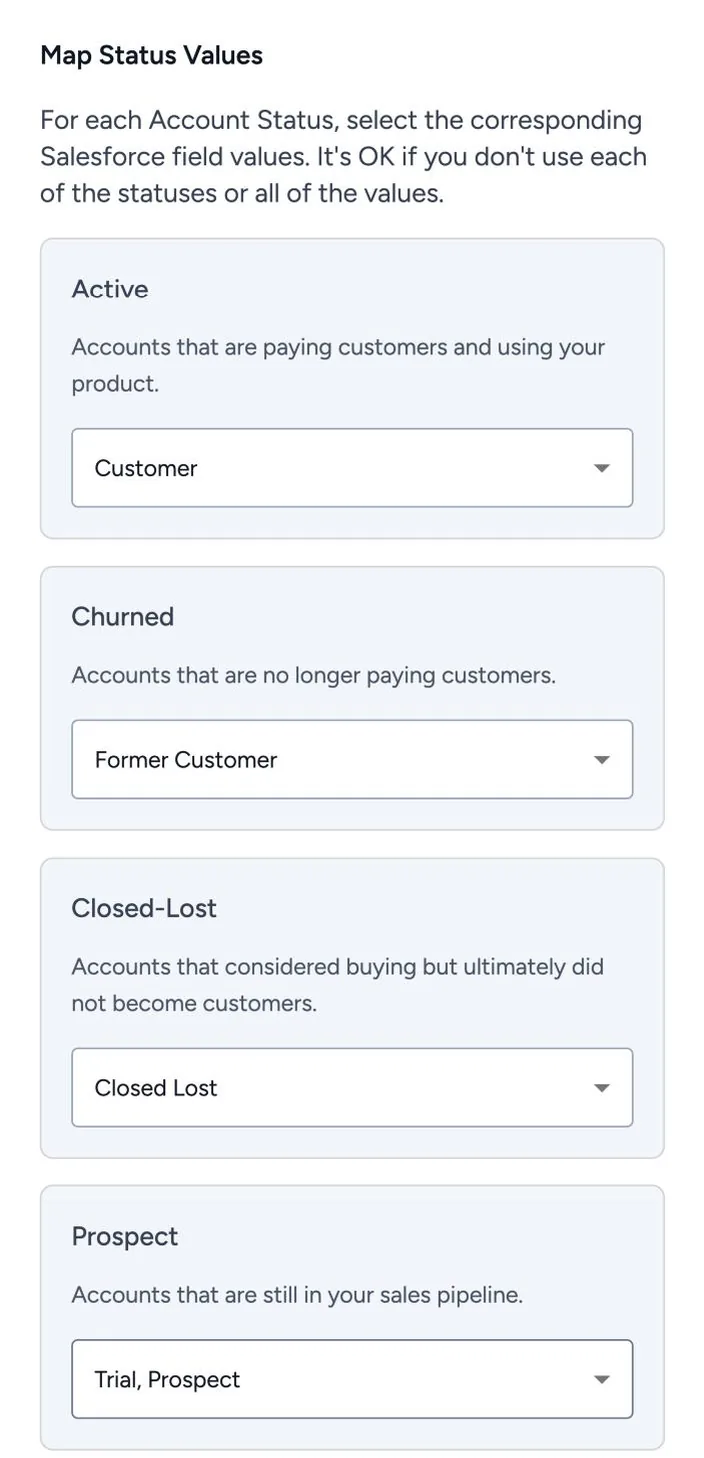
The Feedback and Opportunity Sidebar captures feedback on Salesforce Opportunities and keeps captured feedback and idea status updated on the Opportunity. The Salesforce Connector maps status, plan, account type, segment and revenue, plus up to 25 custom Account and Contact fields.
Map your CRM's account statuses to Customer, Churned, Closed-Lost and Prospect. When a deal closes lost, every gap the prospect raised stays on their account as evidence, and when an idea they asked about moves, they get an email, which is a reason to reconnect.
The UserVoice agent answers in the admin console with tables you can sort, open and save. With UserVoice MCP, combine UserVoice with your CRM and email from MCP clients that support remote servers and OAuth, including Claude, ChatGPT and Codex.
When an idea moves, the people who asked hear about it, and your team knows which accounts to call.
A status update emails everyone who asked, including prospects whose feedback a rep captured.
Ask which ideas an account supported that shipped this year, and bring them to the business review.
Through MCP, draft a note to each lost account whose idea you completed this month, in your own email.
Read the Insights email and bring trending ideas from large accounts to your forecast call.
Review the top ideas by revenue and pipeline, and what is planned for each.
Check renewing accounts' open Critical ideas, and what closed-lost deals asked for, in Account Insights.
Rated 4.5 out of 5 on G2 from more than 240 reviews.
UserVoice helps us turn customer feedback into shared intelligence across the business. As more teams engage, we get stronger insights, better analytics, and real momentum toward embedding the customer voice into our decision-making.

Ariana Newton
We can quickly surface a complete, data-backed view of every client interaction (questions, feedback, and responses) and turn that into clear insights for renewals. It shows customers we’re listening and acting on what they tell us.

Kathryn Doebler
There are a lot of problems to solve out there, and spending time on something that isn’t the most impactful for our users is heartbreaking. UserVoice challenges me to look at the overall picture of the struggles that our customers as a whole.

Megan Fangmeyer
Accounts, revenue and segments come from your CRM, so UserVoice and your reports agree.
 Salesforce
 HubSpot
 Gainsight (add-on)
 Browser extension
 Slack
 Microsoft Teams
 Zendesk
 Claude
 ChatGPTCodex
We run UserVoice on UserVoice. Share an idea on our own feedback portal.
Before a forecast call I check which open ideas have the most revenue behind them and which renewing accounts are still waiting. When a deal closes lost, we capture every gap in the prospect's words, so it shows up in product planning with the account attached.


UserVoice syncs accounts and contacts from Salesforce or HubSpot and matches people to accounts by email, then by email domain. You map status, plan, segment, a revenue field and custom fields, so every idea shows the accounts and revenue behind it.
Yes. The Feedback and Opportunity Sidebar captures feedback on Salesforce Opportunities and keeps idea status updated on the Opportunity. Reps can also capture from email and call notes with the browser extension, or from deal channels with the Slack app.
No. Account revenue describes the account, and opportunity amounts describe the linked deal. Neither forecasts revenue you will win by building a feature. UserVoice shows which customers and deals are behind a request, so your teams can weigh it.
Sync a renewal date from your CRM as a custom account field, then ask the UserVoice agent which accounts renewing in the next 90 days support ideas still under review. With the Gainsight add-on, health scores, stage and renewal dates are available too.
You decide. Read-Only Revenue Access shows or hides revenue for view-only admins and contributors, and the UserVoice agent and MCP follow each person's permissions.
Plans start at $12,000 a year on Launch, and Salesforce and HubSpot are included on every plan. Feedback, portal users and view-only admins are unlimited, and only full-access admins count toward your plan. You get a free 30-day trial after your demo.
Get a free 30-day trial after your demo, see your own customer feedback in a real account.
Book a demo

