

The UserVoice customer feedback API, service hooks, and MCP server move ideas, feedback, and accounts between UserVoice and your apps, warehouse, and AI assistants.


Integrations are great with Slack and Salesforce to better measure potential business opportunities with feature requests. It is very customizable with their APIs.
CSMs can submit feedback on behalf of a user, so we always have a way to quantify a feature request with the accounts and users that want it.
Customer requests matter outside UserVoice too: in the warehouse, the CRM, your own app, and the reports leadership reads. Each API covers a different part of that.
An admin creates an API key in UserVoice, with a name and optional application and callback URLs. A trusted key gets a token from its key and secret and works as an admin, so keep trusted keys out of browsers and mobile apps. Public apps use the authorization code flow with PKCE, so no secret ships in the app.
Tokens travel as bearer tokens over HTTPS and last 24 hours. Every list is paged, and each response reports the rate limit your plan sets. The API guide walks through a first project.
Most teams start with one question that a report or another system can't answer yet. These are the connections each team usually asks for.
Not every connection needs a developer. The UserVoice MCP server lets the AI assistant your company already pays for, such as Claude or ChatGPT, read and update UserVoice in plain language. Add it next to the assistant's other connectors, and one conversation moves information between tools that have no native integration.
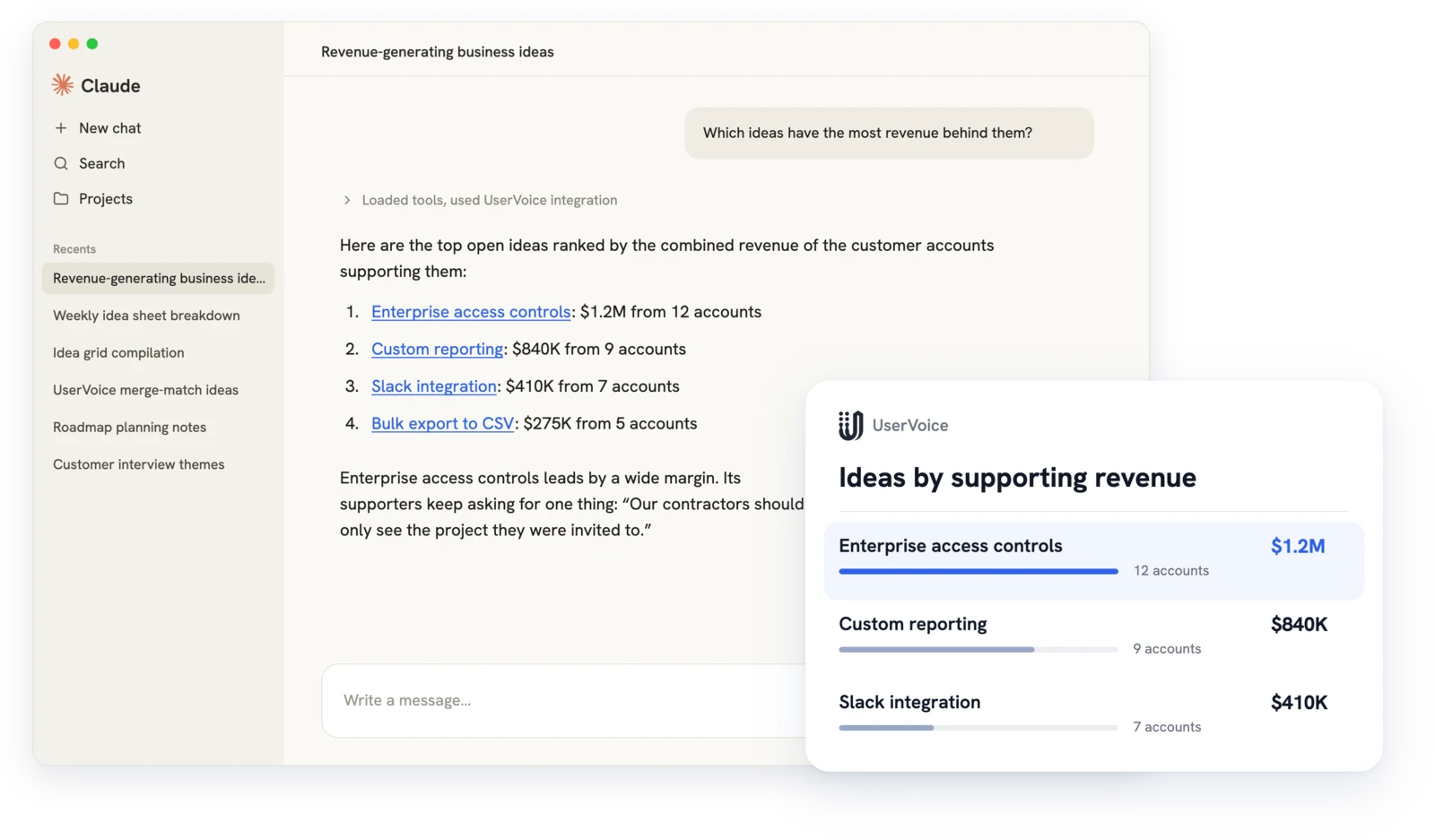
Each example pairs the UserVoice MCP with a connector your assistant already has. The UserVoice steps are tools the MCP server provides. The MCP playbook has tested prompts.
Choose by who builds and runs the connection. Many teams use all three.
The API gives access; your team owns the connection, schedule, and hosting.
Prefer a connection you don't have to build? Native integrations bring feedback and account context in and send decisions out. Revenue on every request starts with a CRM connection.
 Salesforce
 HubSpot
 Gainsight (add-on)
 Jira
 Azure DevOps
 Zendesk
 Slack
 Microsoft Teams
 Claude
 ChatGPTCodex

The Admin API for syncs, reports, and back-office tools. The Idea Collection API for collecting feedback from signed-in customers in your own app or site.
Store trusted keys only on servers, since they act as an admin. Public apps use the authorization code flow with PKCE, so no secret ships in the app.
Yes, with a connection your team runs. The developer docs have guides for Stitch and Fivetran, or build your own job with the Admin API.
Each request is signed, and failed deliveries are logged. You can read the delivery logs through the Admin API and fetch missed changes by update time.
The API is for applications and data jobs your developers build and run. MCP lets an admin's AI assistant read and update UserVoice in conversation, with that admin's permissions.
API and MCP access depend on your plan. Ask during your demo which plan includes what your team needs.
Yes. The Admin API and the MCP server can create ideas and add feedback on a customer's behalf, so their words and account stay with the request.
Get a free 30-day trial after your demo, see your own customer feedback in a real account.
Book a demo

