

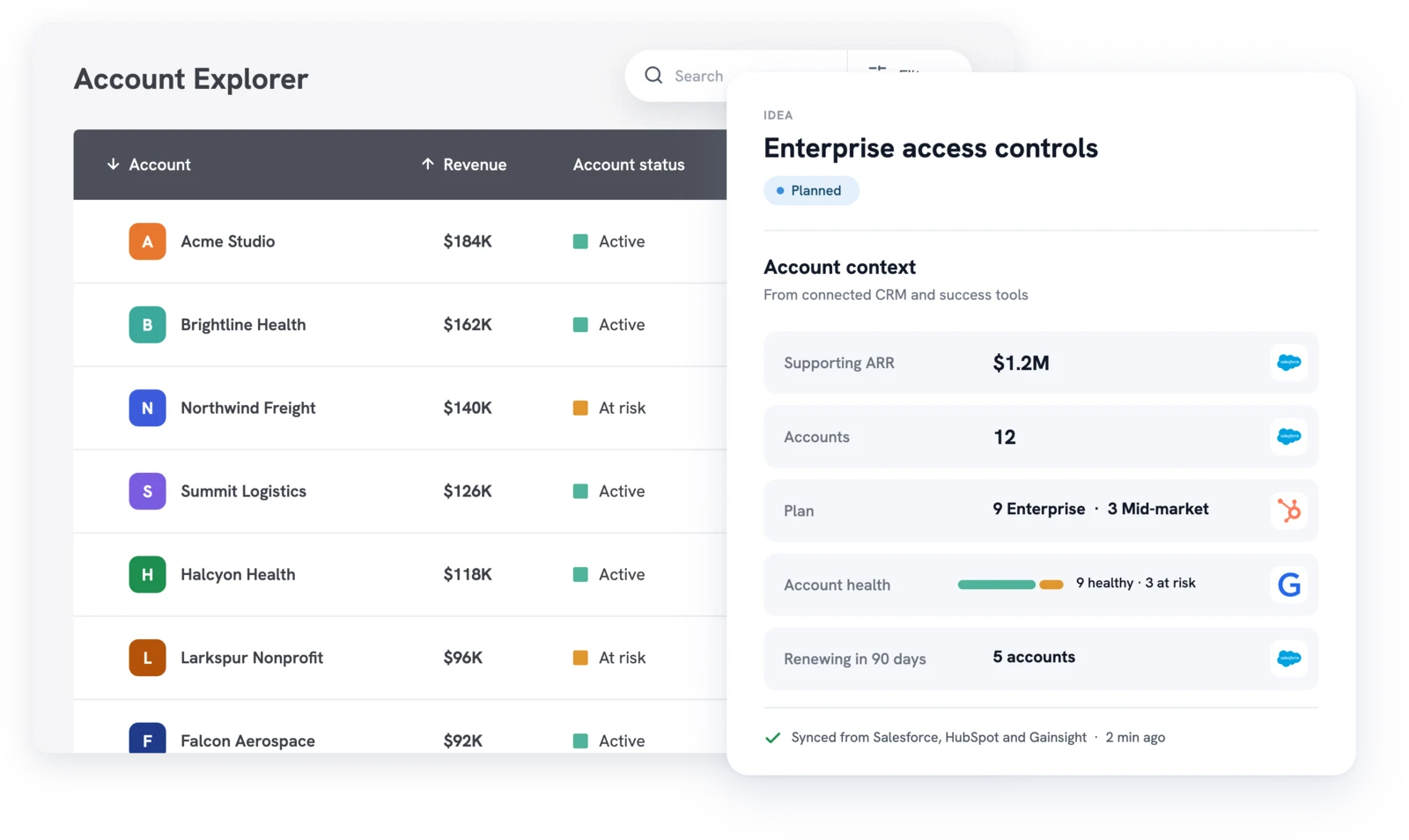
Account Insights shows the companies behind every feature request: supporting accounts, their combined revenue, and how demand splits by status, plan, and segment.


CSMs can submit feedback on behalf of a user, so we always have a way to quantify a feature request with the accounts and users that want it.
Integrations are great with Slack and Salesforce to better measure potential business opportunities with feature requests. It is very customizable with their APIs.
A busy feedback board hides who is asking. Fifty votes from one team look the same as fifty companies. Account Insights, under Insights in the admin console, shows the companies behind each request in two views.
Open an idea in Idea Explorer to see its supporting accounts, total votes, and revenue, with support broken down by status, plan, type, segment, industry, and company size. Open an account in Account Explorer to see its open ideas, closed ideas, and recent comments and feedback.
Account Insights appears once Salesforce or HubSpot is connected. A short setup wizard maps your CRM fields, then accounts sync on a schedule, or right away with Force Sync. The CRM sync guide walks through each step.
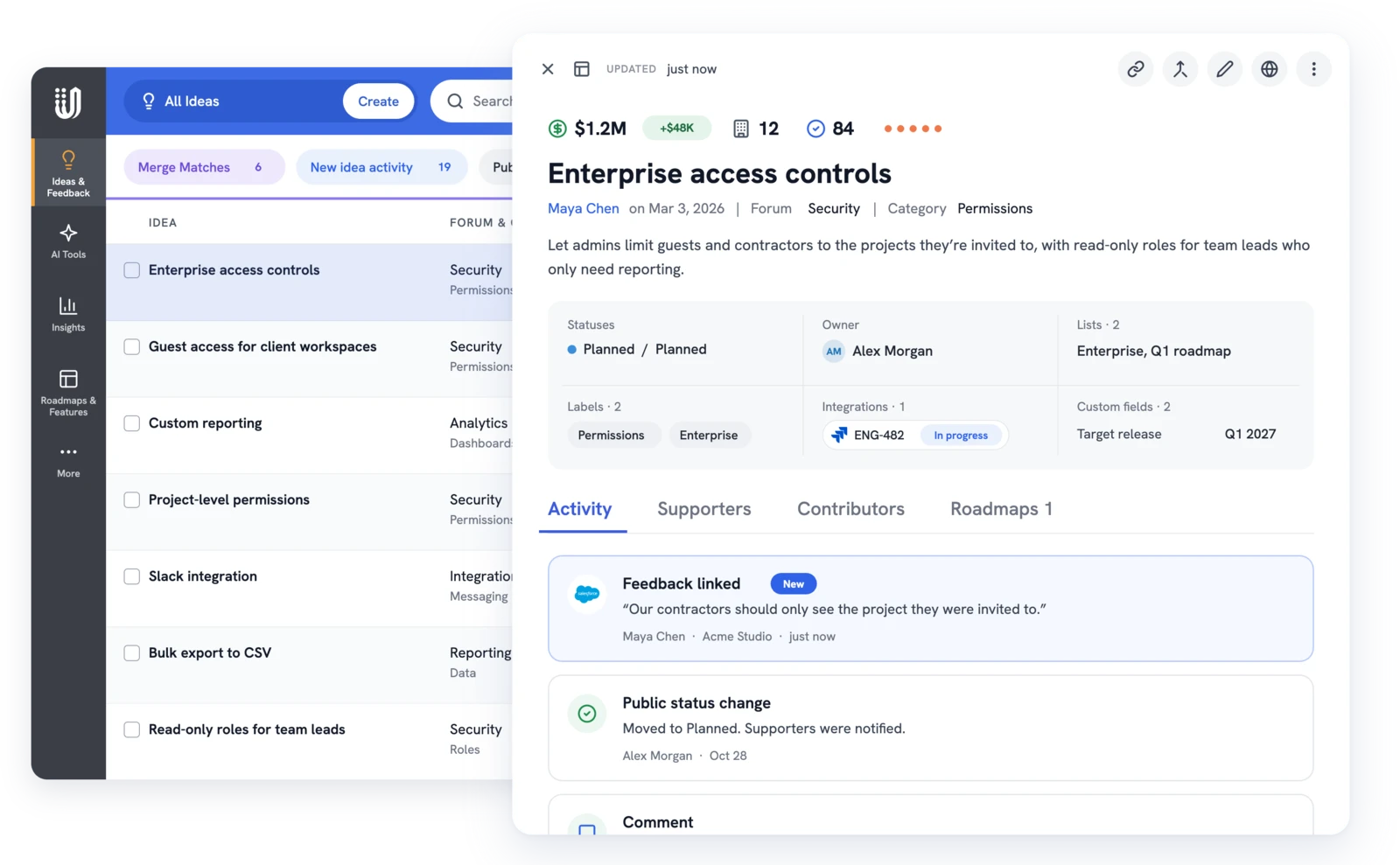
Each supporter's votes and feedback link to their account, and the idea adds up each distinct account's revenue once.
Revenue on an idea is the value of the accounts that support it today. It's not revenue you will earn or save by building it.
Account data doesn't stay in one report. It shows wherever your team reviews ideas, so nobody has to switch screens to see who is asking.
Every team asks a different question of the same account data, and each sees revenue only if your settings allow it.
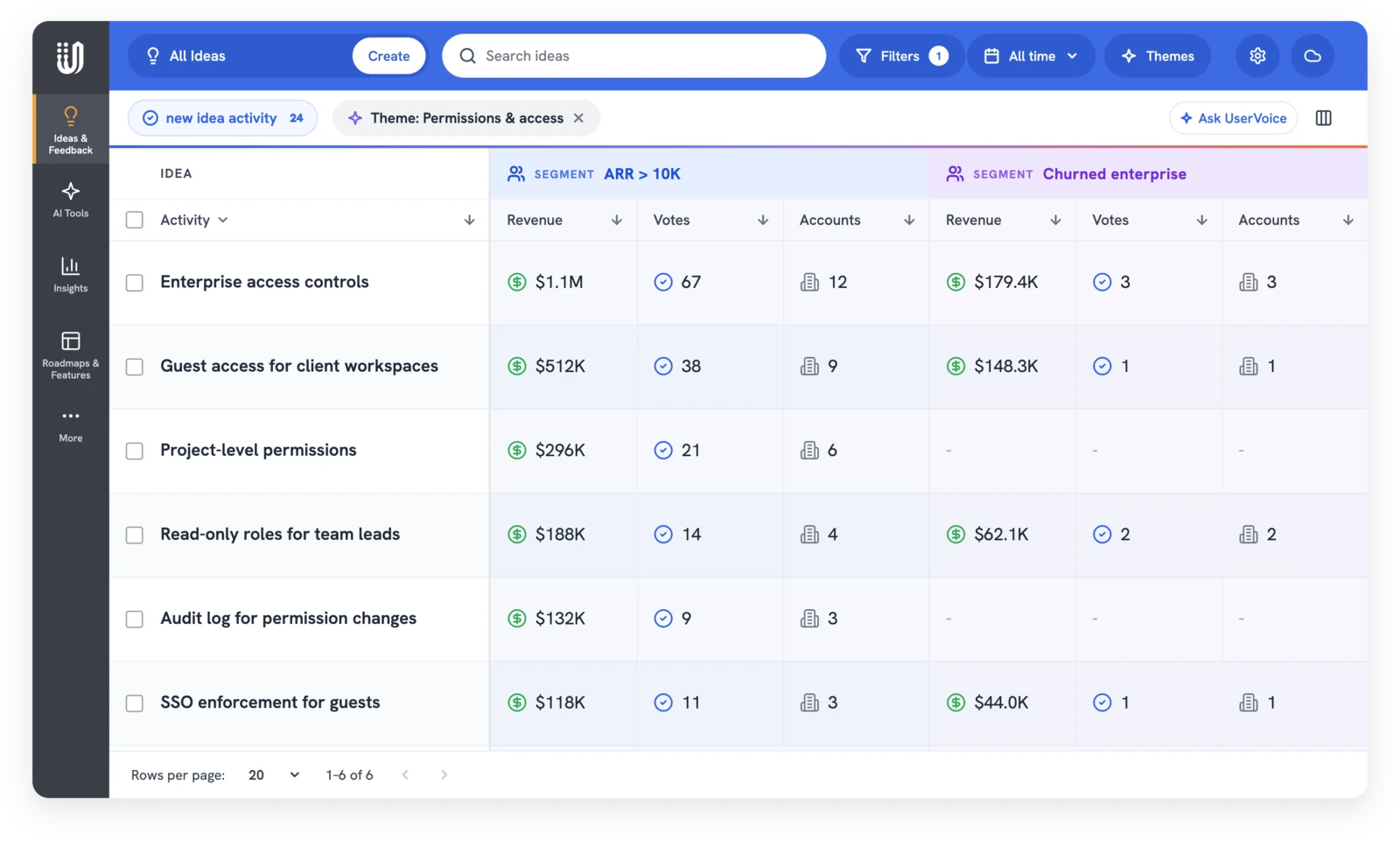
Segments are saved, named groups of customers built from any user or account field. Each one adds its own voters, accounts, and revenue columns to the idea grid, so you compare groups side by side before a roadmap review.
The UserVoice agent answers in the admin console. The UserVoice MCP server brings the same account tools to your own assistant over MCP. Both follow each admin's permissions, including who sees revenue.

Yes. The Account Insights view appears once Salesforce or HubSpot is connected. Revenue and account columns on ideas also work with account data from an import, the API, or the widget.
No. One CRM syncs at a time. Connecting a CRM also replaces account data that came in by import, the API, or the widget.
They count as one supporting account, and that account's revenue is added once.
Admins who can edit feedback always see it. Read-only admins and contributors see it when the account owner allows it, which is on by default. Everyone else sees no revenue at all.
Account Insights filters by a fixed set of CRM fields: status, plan, type, segment, industry, and company size. Segments use any user or account field you have, and add their own columns to the idea grid.
No. It adds up the current revenue of supporting accounts, as your CRM stores it. It doesn't forecast new sales or saved renewals.
From Gainsight, a paid add-on. It syncs each company's health score, stage, and renewal date.
Get a free 30-day trial after your demo, see your own customer feedback in a real account.
Book a demo

