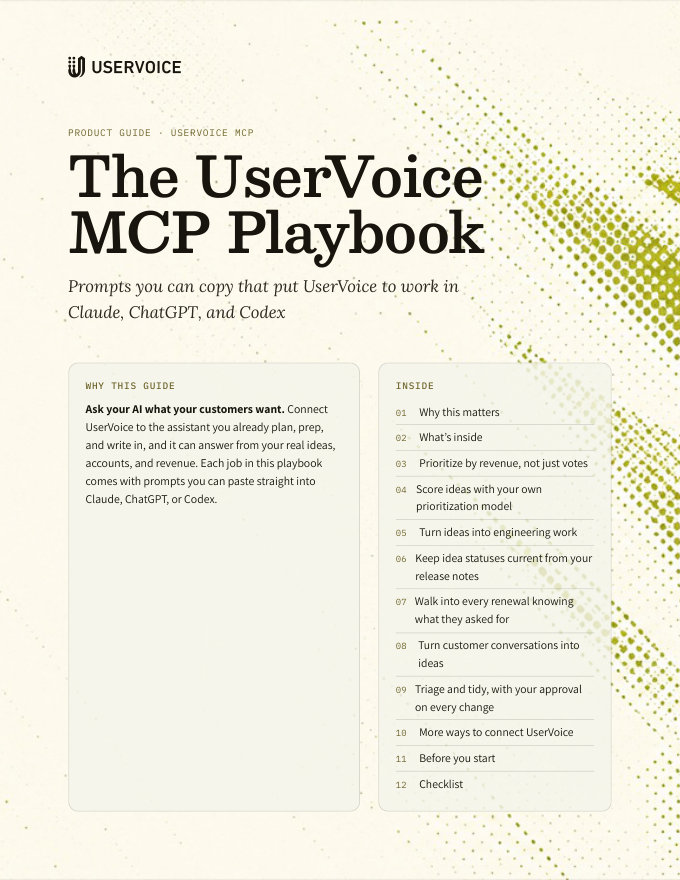
The UserVoice MCP Playbook
Seven ways product and CS teams put UserVoice to work inside Claude, ChatGPT, and Codex, with prompts you can copy.
On this page
Ask your AI what your customers want. Connect UserVoice to the assistant you already plan, prep, and write in, and it can answer from your real ideas, accounts, and revenue. Each job in this playbook comes with prompts you can paste straight into Claude, ChatGPT, or Codex.
Why this matters
Product and CS leaders now plan, prep, and write in Claude and ChatGPT. But the assistant can’t see what your customers are asking for, so you’re back to copying lists and pasting quotes.
The UserVoice MCP closes that gap. Connect it once, and your assistant can read your ideas, feedback, accounts, and revenue, and work across the other tools you’ve connected.
| UserVoice | Your assistant | Your other tools |
|---|---|---|
| Ideas and feedback | Claude | Jira, Linear, and Asana |
| Accounts and revenue | ChatGPT | Gmail, Google Docs, and Slack |
| Users and owners | Codex | HubSpot, Notion, and Figma |
One conversation, many tools. Every tool in a workflow connects to the same assistant. It reads from one and acts in another, in a single conversation.
What an answer looks like
- Scheduled report exports: 14 accounts, $1.2M
- Salesforce field mapping: 11 accounts, $940K
- SSO for portal users: 9 accounts, $610K
Prioritize by revenue, not just votes
For: Product, CS. Tools: UserVoice only.
Vote counts treat a trial user and your largest account the same. Ask for the accounts and revenue behind each request.
Prompts to copy
Revenue comes from your account data. UserVoice adds up the revenue of the distinct accounts whose people support each idea, using the revenue field from your CRM or the account data you send UserVoice.
Score ideas with your own prioritization model
For: Product. Tools: UserVoice + Confluence, Notion, or Google Docs.
Combine the numbers UserVoice already has with a score your assistant derives from what customers wrote, against a rubric your team owns.
Prompt to copy
Check before you act. Spot-check the reasons and quotes for the top and bottom few ideas. If a score looks off, tighten that level of the rubric and run it again. Use the same rubric every time, so rankings stay comparable.
Turn ideas into engineering work
For: Product. Tools: UserVoice + Jira or Linear.
Hand engineering a ticket that already carries the customer evidence. No copy-paste from UserVoice.
Prompts to copy
Every idea comes with its link. Your assistant gets a link to each idea it reads, so the ticket can point straight back to the customer evidence in UserVoice.
Keep idea statuses current from your release notes
For: Product, CS. Tools: UserVoice + release notes, Jira, or Linear.
You ship every week, but ideas get closed out quarterly. Let your assistant find the ones you’ve already delivered.
Prompts to copy
Review the matches before you approve any status change. A public status update is what your customers see. Check each match, and the message that goes with it, before you approve.
Walk into every renewal knowing what they asked for
For: CS. Tools: UserVoice only.
Put what a customer is asking for next to where they are in their contract.
Prompts to copy
Sync your renewal date. Map your CRM’s renewal or contract-end date to an account field in UserVoice, and your assistant can find upcoming renewals on its own. To add open deals to a brief, connect HubSpot or Salesforce to your assistant too.
Turn customer conversations into ideas
For: Product, CS. Tools: UserVoice + Google Docs, Gmail, or Fireflies.
Customers tell you what they need on calls and in email. Hand your assistant the conversation, and it logs each request on the right idea, in the customer’s own words.
Prompts to copy
You approve every entry. Your assistant shows each request, the idea it matched, and the words it will save before anything is logged. People new to UserVoice are added by their email, and become supporters of the idea.
Triage and tidy, with your approval on every change
For: Product. Tools: UserVoice only.
Hand your assistant the repetitive cleanup. It proposes each change, and nothing happens until you approve it.
Prompts to copy
More ways to connect UserVoice
Quick ideas for the other tools your team uses. Connect each tool to your assistant, then start from the prompt.
Log an emailed request. Match a customer’s email to an idea, and save their words as feedback.
Turn survey comments into feedback. Match the comments that ask for something to ideas, a few dozen at a time.
Brief today’s customer meetings. Each account’s open ideas, matched by the attendees’ emails.
Tell top accounts when an idea ships. A personal note, alongside the status email UserVoice already sends.
Draft a spec from customer feedback. The problem, in customers’ own words.
Win back lost deals when the gap ships. A note to accounts you lost over an idea you’ve now delivered.
Build with customer requirements in hand. The edge cases customers actually mentioned.
Bring customer demand to sprint planning. Accounts and revenue behind each issue.
Link an epic to the ideas behind it. Find matching ideas for work that’s already planned.
Plan the launch when ideas move to Planned. Tasks with a link back to each idea.
Put open ideas where reps look. A note on each renewing company’s record.
Check a design against what customers asked for. Gaps, quotes, and who to test with.
Share what’s new each week. A summary of new ideas with revenue, posted for the team.
Using Microsoft 365? In Claude, Outlook, Teams, and SharePoint work in place of Gmail, Slack, and Google Docs. Ideas that send, post, or create files need your admin to turn on write actions for the Microsoft 365 connector.
Before you start
Your assistant can change your UserVoice data, so every change waits for you.
Making changes safely
Your assistant proposes it, and your AI client asks you to approve it before it runs. Nothing changes until you do.
Each change is attributed to your UserVoice account and limited to your permissions.
Your assistant posts the status’s template message unless you ask for another, and emails supporters only when you ask it to.
Label, owner, and internal status changes are recorded as one reversible action, and you can restore deleted, spam, and merged ideas. A status email that has gone out can’t be called back.
Getting better answers
Use your real category, label, and status names.
“Top 10 by revenue” beats “the important ones.”
Have your assistant cite the ideas it used, so you can check them.
Pull the list, check it, then act in the other tool.
Read next
Get the full guide
We'll email you the 15-page PDF. It adds one thing that isn't on this page:
- A seven-step checklist to put the guide into practice