

Capture every request in one place, see the accounts and revenue behind it, and hand the winners to Jira or Azure DevOps with the customer's words attached.
Scheduled exports and custom dashboards lead the list. Each idea links to its supporters, accounts and linked Jira issues.


Requests arrive from the portal, sales calls, support tickets and Slack threads. Without the accounts and revenue behind them, the roadmap gets set by whoever asked last or loudest.
Ideas live in tickets, call notes and spreadsheets, so the same request shows up five times under five names.
A hundred votes from small accounts can outrank one request that is blocking your largest renewal.
When leadership asks why something made the roadmap, the answer is an opinion instead of evidence.
Ideas land in one place, from your feedback portal and from every team that talks to customers. Merge Matches suggests duplicates, so votes and feedback add up on the idea you keep instead of splitting across five.
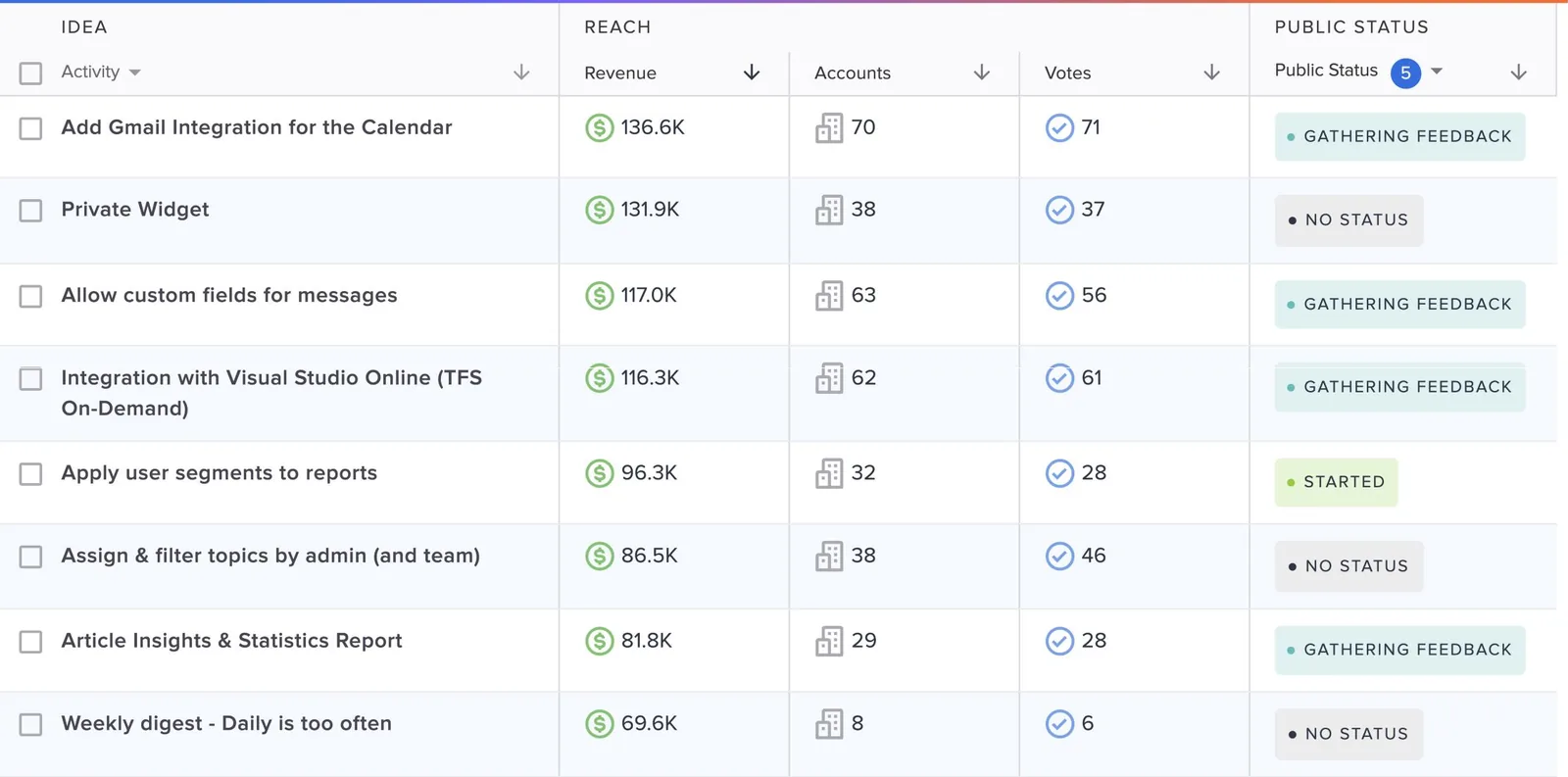
Connect Salesforce or HubSpot and every idea shows its votes, accounts and revenue, with importance flags from the teams who captured it. Sort your area by revenue, filter by segment, and bring the top ideas into planning next to analytics and research.
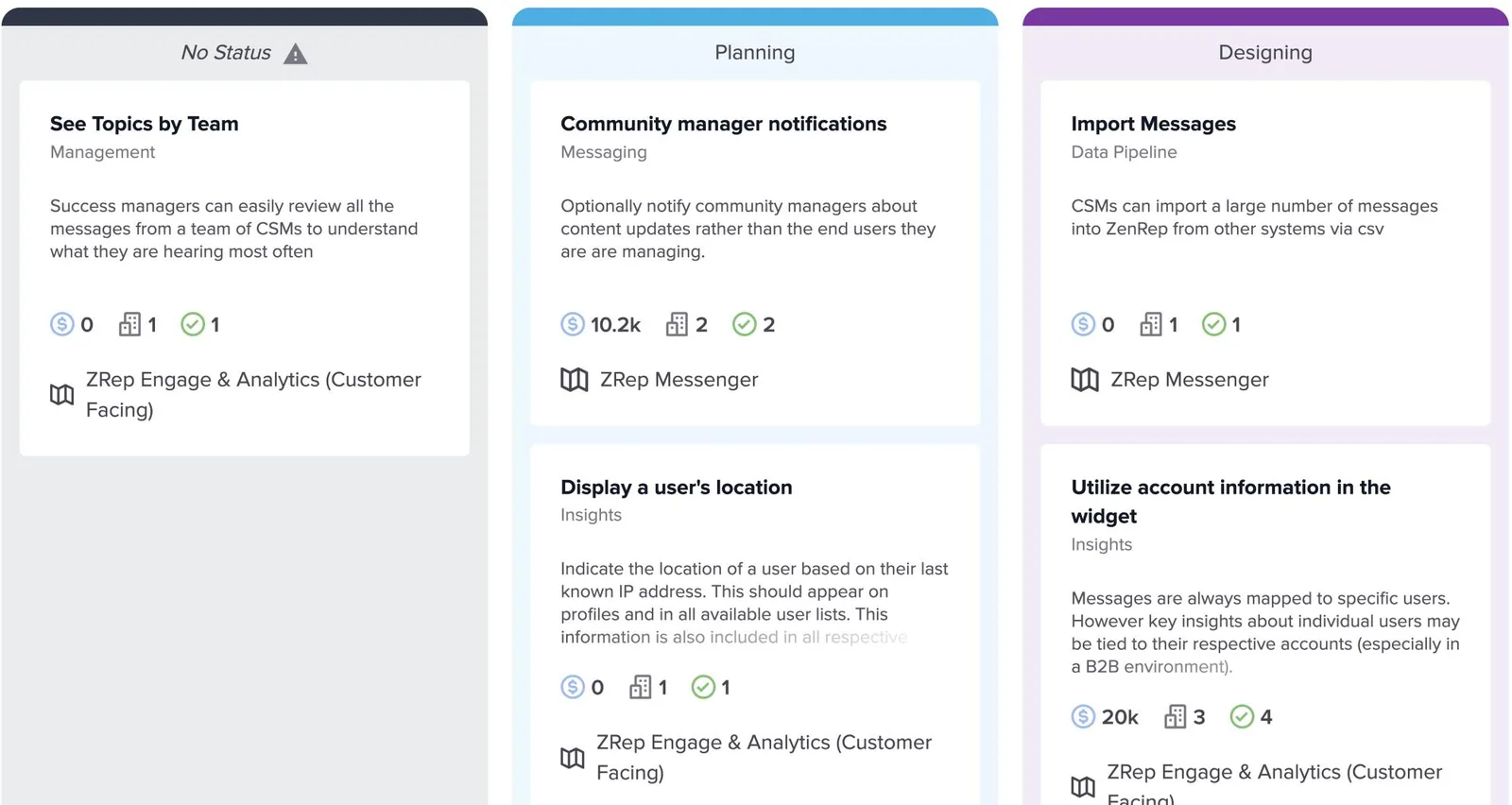
Bring customer demand into the same room as effort and strategy. Group linked ideas into features on a roadmap, with their demand rolled up, and share it with your team or your customers.
Link ideas to the Jira or Azure DevOps issues that answer them, so engineers see customer context while they plan. Linking never changes an idea's status, so you decide when customers hear about it.
The UserVoice agent answers in the admin console with tables you can sort, open and save. With UserVoice MCP, ask the same questions from MCP clients that support remote servers and OAuth, including Claude, ChatGPT and Codex.
Open your saved grid view. Merge duplicates, give each new idea an owner and an internal status, and answer comments.
Post a public status update on what shipped, so subscribers and the teams who captured the feedback hear about it.
Sort your area by revenue and accounts, and bring the top ideas into planning next to analytics and research.
Rated 4.5 out of 5 on G2 from more than 240 reviews.
UserVoice helps us turn customer feedback into shared intelligence across the business. As more teams engage, we get stronger insights, better analytics, and real momentum toward embedding the customer voice into our decision-making.

Ariana Newton
We can quickly surface a complete, data-backed view of every client interaction (questions, feedback, and responses) and turn that into clear insights for renewals. It shows customers we’re listening and acting on what they tell us.

Kathryn Doebler
There are a lot of problems to solve out there, and spending time on something that isn’t the most impactful for our users is heartbreaking. UserVoice challenges me to look at the overall picture of the struggles that our customers as a whole.

Megan Fangmeyer
Capture from where customers talk, enrich with CRM data, and hand off to where engineering plans.
 Feedback portalBrowser extension
 Slack
 Microsoft Teams
 Zendesk
 Salesforce
 HubSpot
 Gainsight (add-on)
 Jira
 Azure DevOps
 Claude
 ChatGPTCodex
We run UserVoice on UserVoice. Share an idea on our own feedback portal.
We run our own roadmap in UserVoice. Every week I triage new ideas from our portal and from the sales and success team, and before I write a spec I read every customer's words on the idea. When something ships, the people who asked hear about it from us.


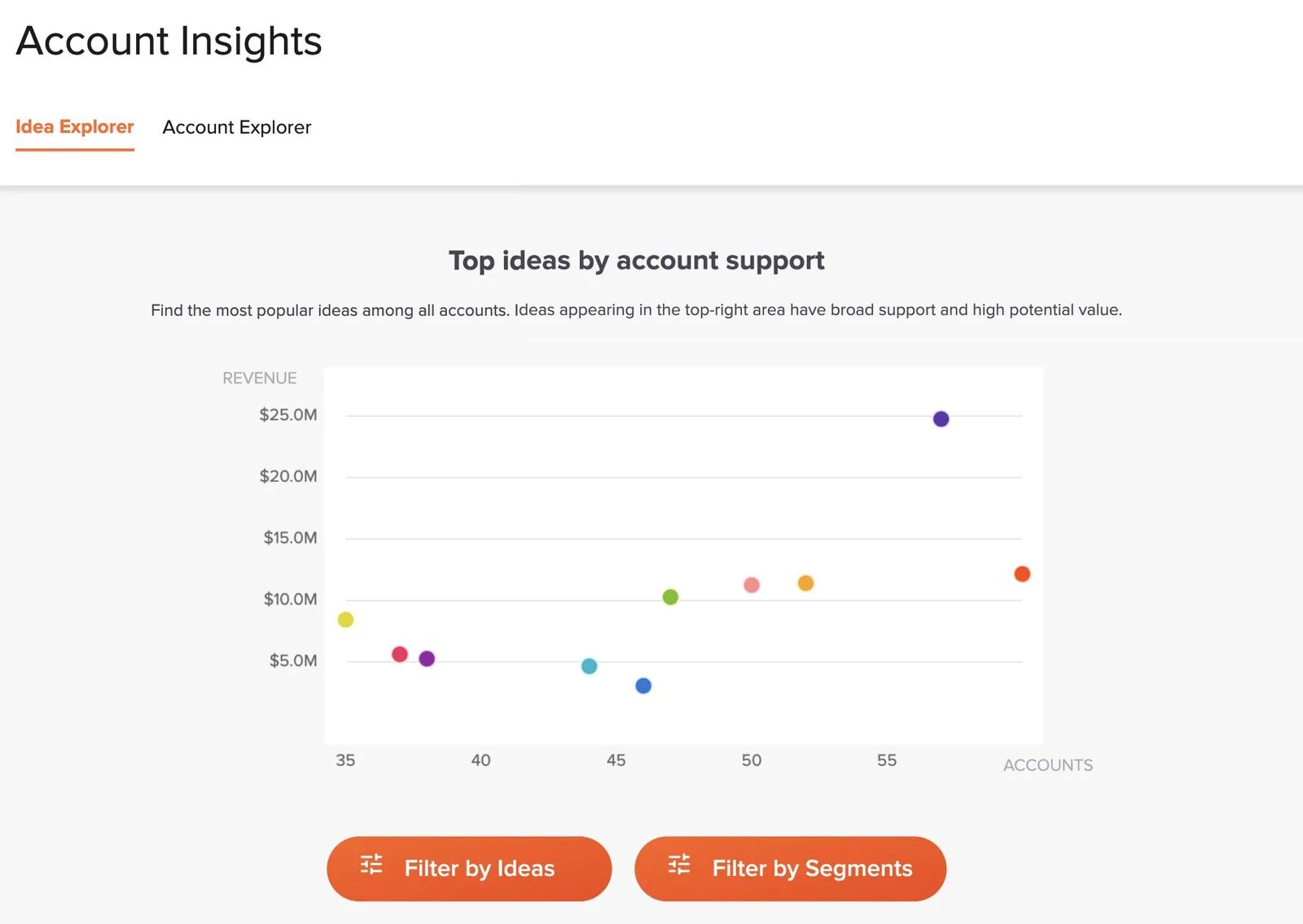
UserVoice puts votes, accounts, revenue and importance on every idea, using account data synced from Salesforce or HubSpot. Product managers sort and filter their area by revenue and accounts, and Account Insights shows which ideas have the broadest support and the most revenue behind them.
Yes. Link ideas to the Jira or Azure DevOps issues that answer them, so engineers see customer context while they plan. Linking never changes an idea's status. You post a status update when you're ready, and it emails the people who asked.
Merge Matches suggests likely duplicates on the idea grid. When you merge, votes and feedback move to the idea you keep, so demand adds up in one place instead of splitting across several ideas.
Yes. Forums, categories and owners give each team its own area, saved grid views give each product manager a triage queue, and the Idea Status Board shows work across teams or for one area. Launch is built for a single product or team. Business adds room across products, with multiple instances available, and Enterprise sizes admins and instances to fit your organization.
Yes. UserVoice MCP works with MCP clients that support remote servers and OAuth, including Claude, ChatGPT and Codex. It acts with your own UserVoice permissions. The UserVoice agent and MCP are included in every modern plan.
Plans start at $12,000 a year on Launch. Feedback, portal users and view-only admins are unlimited on every plan, and only full-access admins count toward your plan. You get a free 30-day trial after your demo.
Get a free 30-day trial after your demo, see your own customer feedback in a real account.
Book a demo

