Year-end offer: free migration, data ingestion and onboarding when you sign up before December 31.free migration, data ingestion and onboarding before Dec 31. Book a demo →


Education software companies use UserVoice to collect requests from the teachers, administrators and IT staff at the schools and institutions they serve, rank them by account value, and report back on what shipped. It is product feedback software, not a student survey or course evaluation tool.











Student survey and course evaluation tools ask students about teaching and campus life. UserVoice collects feature requests and product feedback from the teachers, administrators and IT staff who use your software. The two answer different questions, and one does not replace the other.
Teachers, administrators and district or campus IT use the same product for different jobs. Vote counts alone do not tell you whose request matters.
Feedback surges at the start of the school year and at term changes, when your team has the least time to sort it. By planning season the detail is gone.
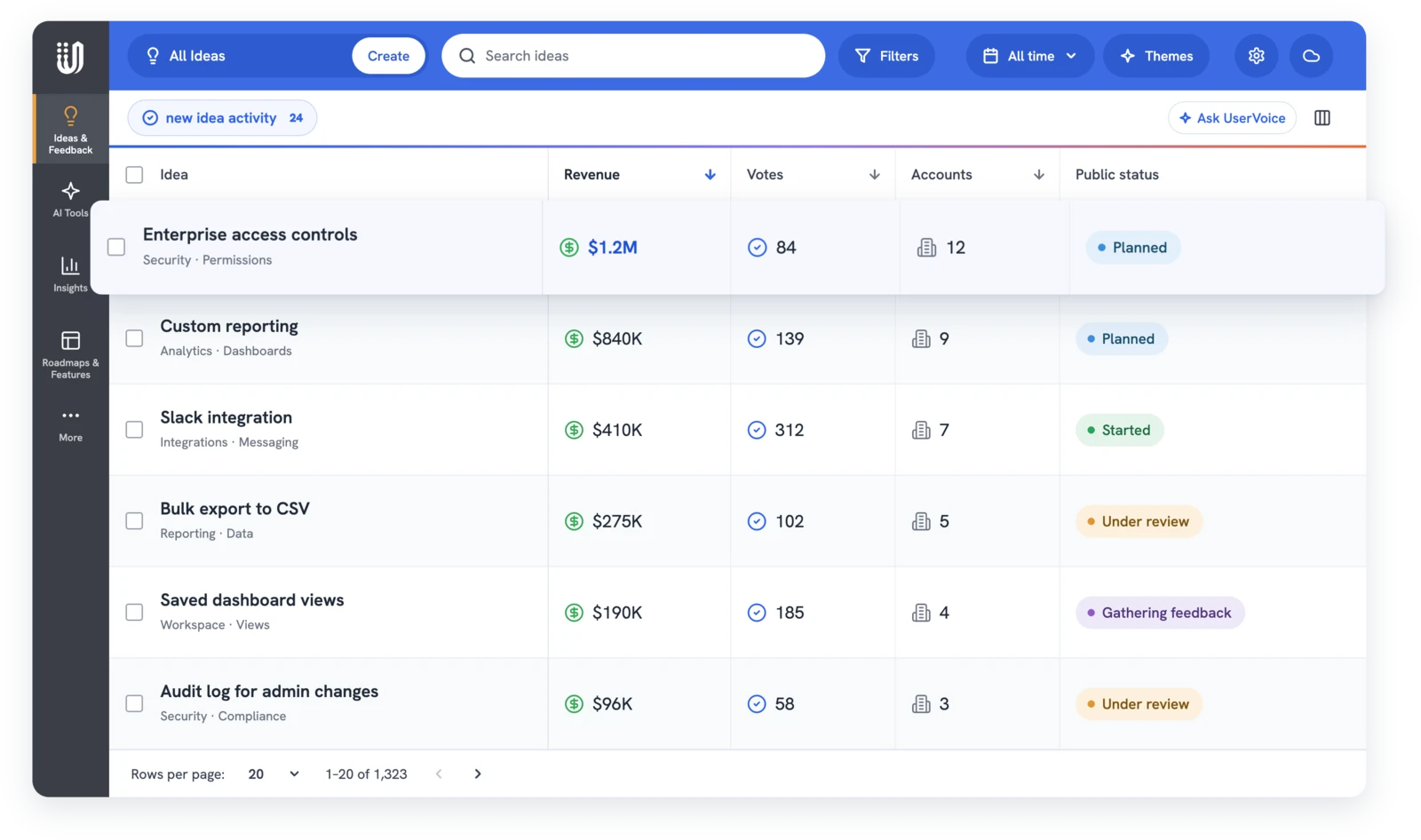
Districts and universities buy through committees on long cycles. What a large district or institution asks for needs to be visible with the account value attached.
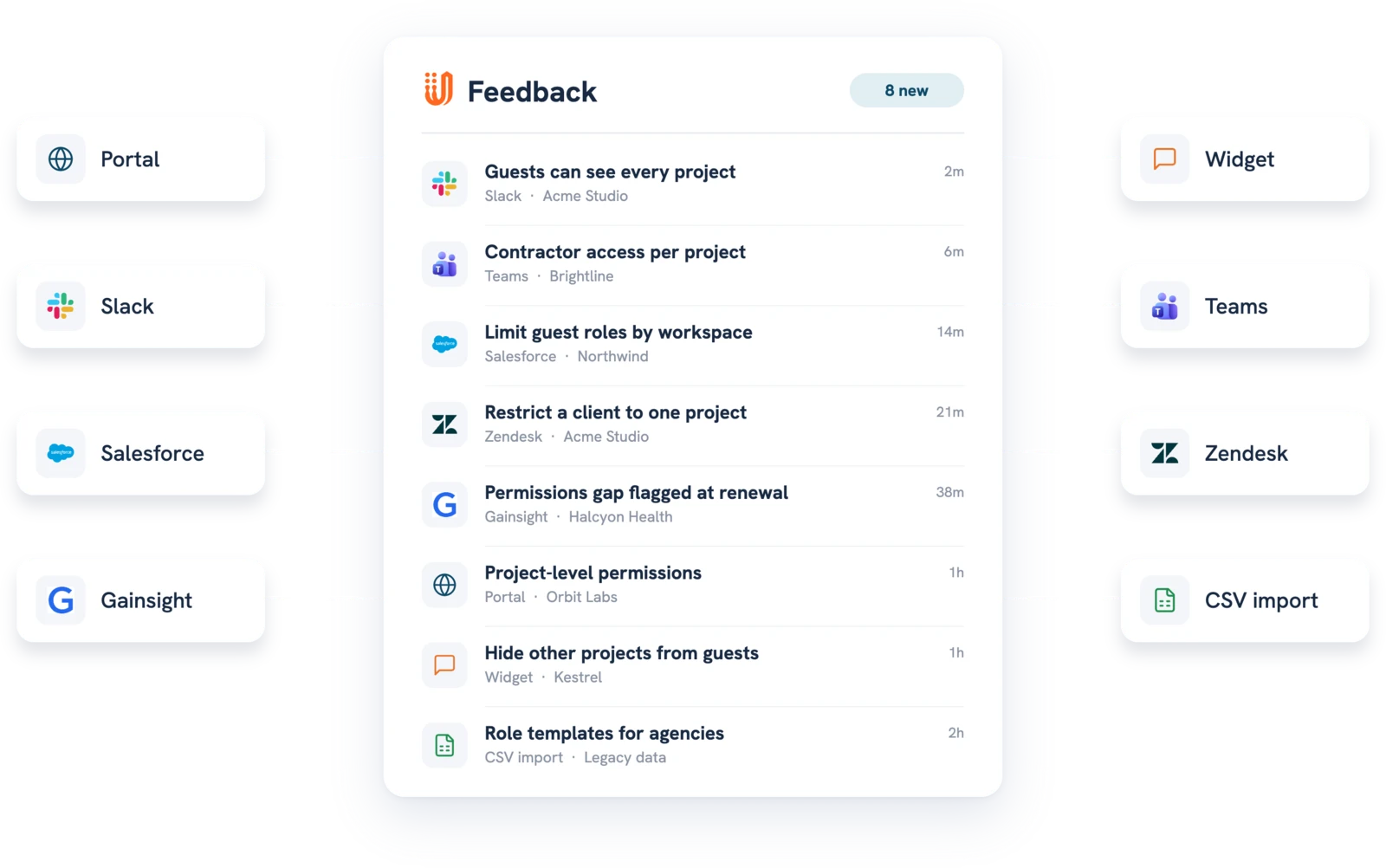
A district administrator asks for a change during a rollout session. The onboarding lead logs it from Slack or Salesforce on the district's behalf.
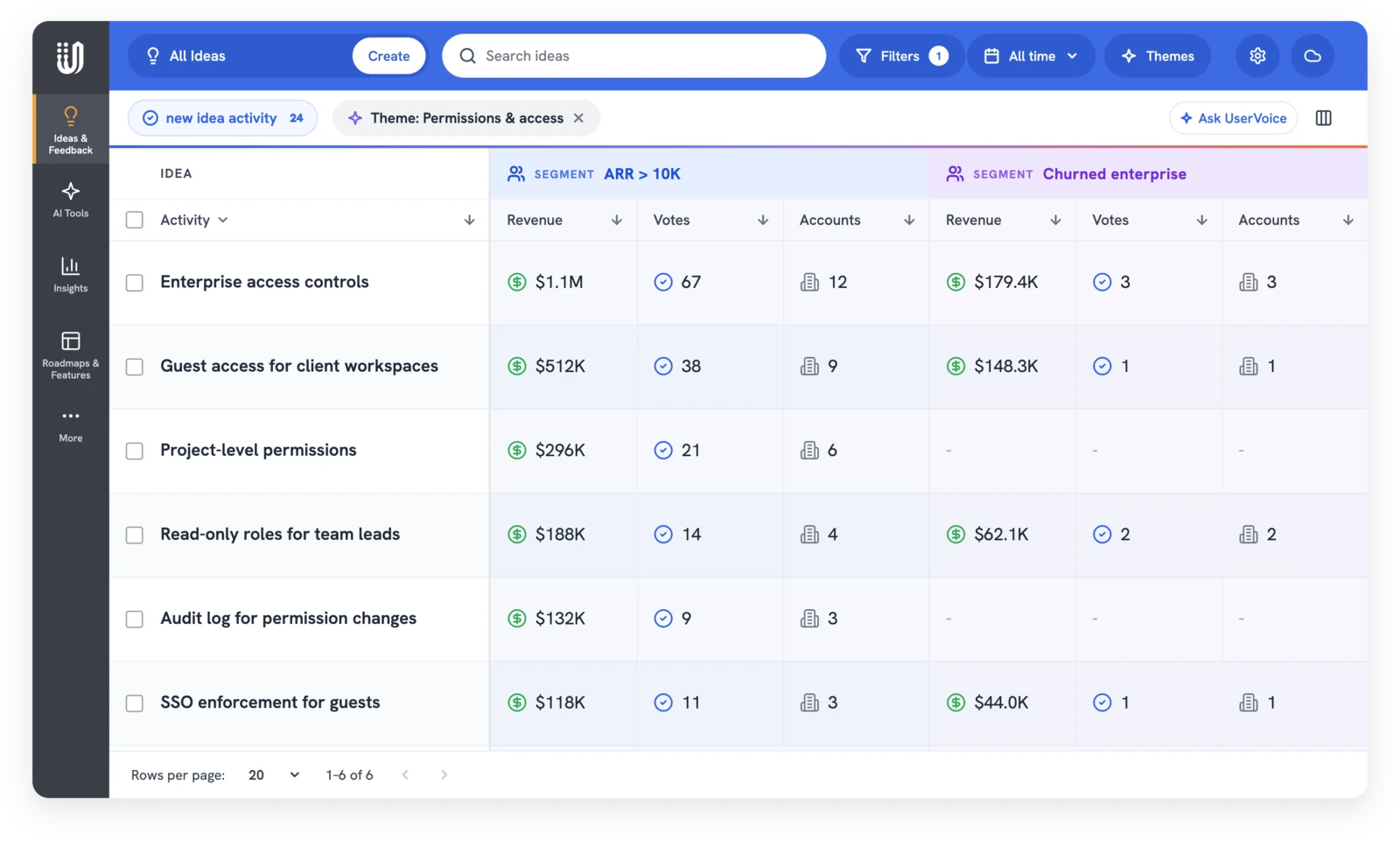
The request is merged with matching posts from teachers and IT staff in the portal. It shows which districts and institutions are behind it and the revenue they represent.
The product manager ranks it by account value, adds it to the internal roadmap with an owner and links it to a Jira issue.
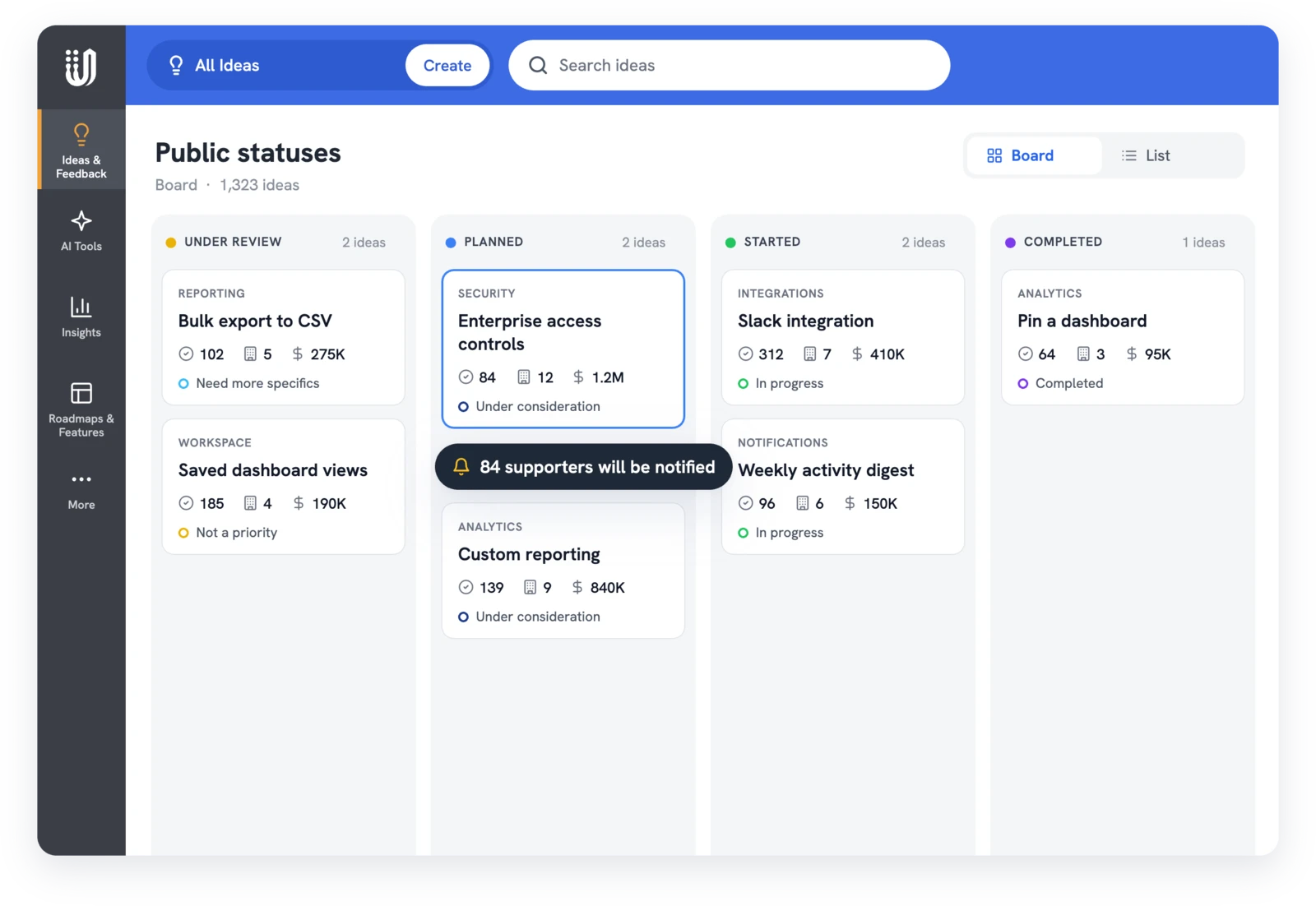
When the team marks it shipped, everyone who voted for it is notified automatically. The account manager has the record ready for the next committee review.
The UserVoice agent answers in the admin console. With UserVoice MCP, ask the same questions from MCP clients that support remote servers and OAuth, including Claude, ChatGPT and Codex. Both follow each admin's own permissions.
Product owns the system. Customer-facing teams feed it. Leadership reads the result.
Feedback comes in from the systems where customers and teams already talk, and approved work goes out to the tools where it gets built.


 HubSpot
 Zendesk
 Gainsight
 Microsoft Teams
 Azure DevOps
 Fullstory
 Claude
 ChatGPT
Rated 4.5 out of 5 on G2 from more than 240 reviews.
UserVoice helps us turn customer feedback into shared intelligence across the business. As more teams engage, we get stronger insights, better analytics, and real momentum toward embedding the customer voice into our decision-making.

Ariana Newton
We can quickly surface a complete, data-backed view of every client interaction (questions, feedback, and responses) and turn that into clear insights for renewals. It shows customers we’re listening and acting on what they tell us.

Kathryn Doebler
There are a lot of problems to solve out there, and spending time on something that isn’t the most impactful for our users is heartbreaking. UserVoice challenges me to look at the overall picture of the struggles that our customers as a whole.

Megan Fangmeyer
Three steps from first call to your first revenue-weighted roadmap decision.
Book a demoSee UserVoice with your own use case. After your demo you can run a free 30-day trial in a real account.
Import the ideas, votes and accounts you already have, then connect your CRM, support and delivery tools from the integrations library.
Open your portal, let customer-facing teams log what they hear, and rank requests by the accounts and revenue behind them.

No. UserVoice is product feedback software for the companies that build education technology. It collects feature requests and product feedback from the teachers, administrators and IT staff who use your software. It is not a student survey or course evaluation platform.
Teachers, administrators and IT staff can submit and vote in the portal. Much of it also arrives through your own teams: support, onboarding and account managers log requests on a customer's behalf from the tools they already use.
Yes. A portal can be open to everyone or restricted to signed-in customers and specific accounts, with single sign-on in front of it.
UserVoice publishes its accessibility information at uservoice.com/wcag-compliance. Share it with your accessibility team and bring your requirements to the demo.
Plans start at $12,000 per year, billed yearly. Every plan includes the UserVoice agent, MCP and the API, plus unlimited view-only admins. After your demo you can run a free 30-day trial with your own customer feedback in a real account. See pricing for plan details.
Get a free 30-day trial after your demo, see your own customer feedback in a real account.
Book a demo

