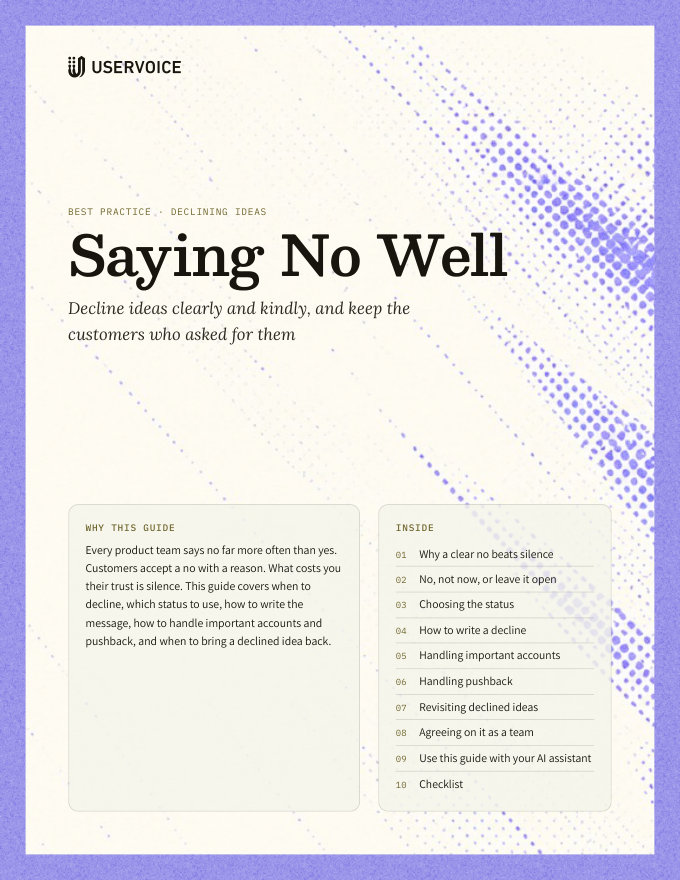
Saying No Well
Decline ideas clearly and kindly, with templates for common reasons, and keep the customers who asked.
On this page
Every product team says no far more often than yes. Customers accept a no with a reason. What costs you their trust is silence. This guide covers when to decline, which status to use, how to write the message, how to handle important accounts and pushback, and when to bring a declined idea back.
Why a clear no beats silence
An idea left open for two years tells customers you aren't listening. An idea declined with a reason tells them you read it and made a call.
A clear no lets them find a workaround, adjust their process, or raise it with their account team now, instead of waiting.
If every idea stays open, Under Review stops meaning anything. Declining keeps your open statuses honest.
Fewer open ideas makes it easier to see real demand, for your team and for customers browsing the portal.
Customers who get answers, including no, keep sharing feedback. Customers who get silence stop.
Decide, then say so. If your team has already decided not to build something, the kindest thing is to tell the people who asked, soon, with the reason.
No, not now, or leave it open
Not every idea you won't build this quarter is a no. Sort each one into one of three answers before you write anything.
| Answer | Use it when | What customers see |
|---|---|---|
| No | It's outside your product direction, it conflicts with how the product works, or you'd never build it at any level of demand | A closed status, such as Declined, with the reason |
| Not now | It fits your direction, but other work comes first, or it depends on something you haven't built yet | An open status with a message saying it isn't planned yet, and what would change that |
| Leave it open | You haven't decided, or you need more customers to tell you how they'd use it | Under Review, or your equivalent, so votes and comments keep coming |
“Not now” keeps the idea open. Votes and comments keep counting, so you see whether demand grows. Use it only when you'd act on that demand.
Don't use “not now” to avoid saying no. If no amount of demand would change the answer, an open status is a false promise. Customers notice when “not now” lasts for years.
Choosing the status
UserVoice starts with five public statuses. Two are closed: Completed and Declined. Declined is the one for saying no.
| What closing an idea does | Details |
|---|---|
| Voting closes | Supporters can't add votes to an idea in a closed status. Existing votes stay on the idea. |
| Comments follow the status's permission | Declined allows comments by default, so customers can reply to your decision. |
| Votes come back in limited-vote forums | In a forum with a vote limit, supporters can spend the votes they gave on other ideas. |
| It leaves the busiest lists | Closed ideas move out of the portal's Hot, Top, and New lists, but can still be found by status. |
| Supporters can hear about it | When you tick Email on the update, subscribed supporters get your message. |
Rename Declined if it reads too harshly. “Not planned” or “Not a fit” are common choices. Rename the status in place, rather than deleting it, so declined ideas keep their history.
Don't make a “not now” status closed. A closed status stops voting, so you lose the signal “not now” is meant to collect. Keep it open.
How to write a decline
The message you post with the status becomes the idea's admin response on the portal. For most supporters it's the only thing they read from you, so give it five short parts.
- Thank them. One line. Name what they asked for, so it's clear you read it.
- Say the decision. Plainly: “We aren't planning to build this.” Don't bury it.
- Give the reason. One or two sentences, in terms of their goal and your product, not your internal process.
- Offer what's possible instead. A workaround, an existing feature, an integration, or a related idea they can support.
- Say what would change your mind. Only if something would. Otherwise, say you'll keep the idea on record.
| Do | Don't |
|---|---|
| Write it for the idea in front of you | Post the status template unchanged |
| Keep it to a short paragraph | Explain your whole roadmap process |
| Name a specific alternative | Say “we'll consider this in the future” when you won't |
| Sign it as the team, or as yourself | Blame another team, or a customer segment |
Give Declined a template message. Under Settings › Ideas › Templated Status Messages, set a default for Declined that follows these five parts. It fills in whenever someone picks the status, and they edit it from there.
Templates for common reasons
Replace the brackets, and edit each one so it talks about the idea itself.
Outside our direction
Too specific to a few teams
Already solved another way
Technical constraint
Not now (keep it open)
Handling important accounts
When a large or renewing account is behind an idea, a status email shouldn't be the first they hear of your decision.
- Check who's behind it. In the idea sheet, look at the supporting accounts and their revenue, from your CRM.
- Tell the account team first. Give the CSM or AE the decision, the reason, and the alternative, a few days before you post.
- Let them have the conversation. A call or a direct note from someone the customer knows lands better than a portal message.
- Then post the public status. Use the same reason, so what the account hears privately matches what everyone reads.
Plan, segment, renewal date, and health from your CRM tell the account team how carefully to handle it.
A workaround, a services option, or a related idea on the roadmap. Not a promise you can't keep.
Don't make an exception you won't repeat. If a large account changes your answer, the reason should be demand or fit, not volume. Otherwise every other supporter is left with a different answer.
Handling pushback
Some supporters will disagree in the comments. That's useful: it often tells you something the original idea didn't.
| They say | Respond by |
|---|---|
| “This is a dealbreaker for us.” | Thanking them, and asking what they're trying to get done. Loop in their account team. |
| “You didn't understand the request.” | Asking them to describe the use case. If you did misread it, say so and reconsider. |
| “Competitor X has this.” | Acknowledging it, and restating why it isn't right for your product, briefly. |
| “Lots of people want this.” | Pointing to the alternative. If demand really has grown, see “Revisiting declined ideas”. |
| Several angry comments | Posting one reply that addresses the thread, not one per comment. |
- Reply within a few days, from the person or team who made the decision.
- Don't argue in public. Restate the reason once, then take long discussions to the account team.
- Read for new information. A use case you hadn't heard is a reason to revisit, not a reason to defend.
Revisiting declined ideas
A no reflects what you knew when you made it. Review declined ideas on a schedule, so a changed situation gets a changed answer.
| Signal | Where to see it |
|---|---|
| New comments on a declined idea | Recent activity on the idea, or Idea Insights |
| New ideas asking for the same thing | Duplicates you merge into the declined idea, or similar ideas in the idea grid |
| Large or renewing accounts asking | Supporting accounts and revenue on the idea |
| Your direction or platform changed | Your own roadmap: the constraint behind the no is gone |
- Every quarter, filter the idea grid to Declined, sorted by revenue, and check Idea Insights for recent activity.
- For each idea with new activity, ask whether the original reason still holds.
- If it doesn't, move it to an open status with a message saying why you're reconsidering. Its existing votes count again.
Reopening is just another status update. Set an open status and write a message, in the idea sheet or by asking the UserVoice agent. Supporters you email learn the idea is back under consideration.
Agreeing on it as a team
Customers read your declines across many ideas. They should sound like one team made them.
| Agree on | A practical starting point |
|---|---|
| Who can decline | The idea's owner, usually a PM. Customer-facing teams raise ideas, but don't close them. |
| Who's told first | The account team, for any idea with a large or renewing account behind it |
| How fast | Post the status within 30 days of the decision |
| What every decline includes | The five parts: thanks, decision, reason, alternative, and what would change it |
| When to email supporters | Always for individual declines. Not for bulk cleanups of old, low-support ideas |
| When you review | Declined ideas with new activity, every quarter |
Share the reasons with Sales, Success, and Support. When they know why an idea was declined, they can explain it the same way you did, and spot when a customer's case is new information.
Post agreed declines with the UserVoice agent. Once you've decided, ask the agent, or your assistant through the UserVoice MCP, to set Declined with your message on up to 25 ideas at a time. Nothing changes until you confirm, and it emails supporters only when you ask.
Try it with your AI assistant
1 of 4 prompts in the PDFAttach the PDF to Claude, ChatGPT, or another assistant, then paste:
Using the UserVoice guide I attached, help me write a decline for this idea: [paste idea]. Our reason is [reason]. Ask me what alternative we can offer first.
Three more prompts and the checklist are in the full guide. Get it by email →
Read next
Get the full guide
We'll email you the 12-page PDF. It adds two things that aren't on this page:
- A six-step checklist to put the guide into practice
- Four AI prompts for Claude, ChatGPT, or your assistant of choice, including one that uses the UserVoice MCP to work with your own feedback data