UserVoice at a Glance
What UserVoice does, who it's for, and how teams use it.
On this page
Customer feedback is everywhere: calls, tickets, Slack, sales notes, and inboxes. UserVoice brings it into one place, ties it to the accounts and revenue behind it, and closes the loop when you act. This overview covers what UserVoice does and who it's for. A demo shows how it would work for your team.
Why teams choose UserVoice
Most companies already hear what customers need. The trouble is that it's scattered, unweighted, and rarely answered.
| Without a feedback program | With UserVoice |
|---|---|
| Requests live in tickets, call notes, Slack, and inboxes | Every request lands on one idea, in the customer's own words |
| You count requests, or go with the loudest voice | You see the accounts and revenue behind each one |
| Sales and Success ask product “is this planned?” | Everyone sees where each idea stands |
| Customers rarely hear back | Everyone who asked hears when something changes |
Decide with evidence, not anecdotes.
Protect deals and renewals.
Answer “is this planned?” on the spot.
See that you listened.
Every source, one place
Customers share ideas on a portal that looks like your product. Your teams capture what they hear wherever they already work.
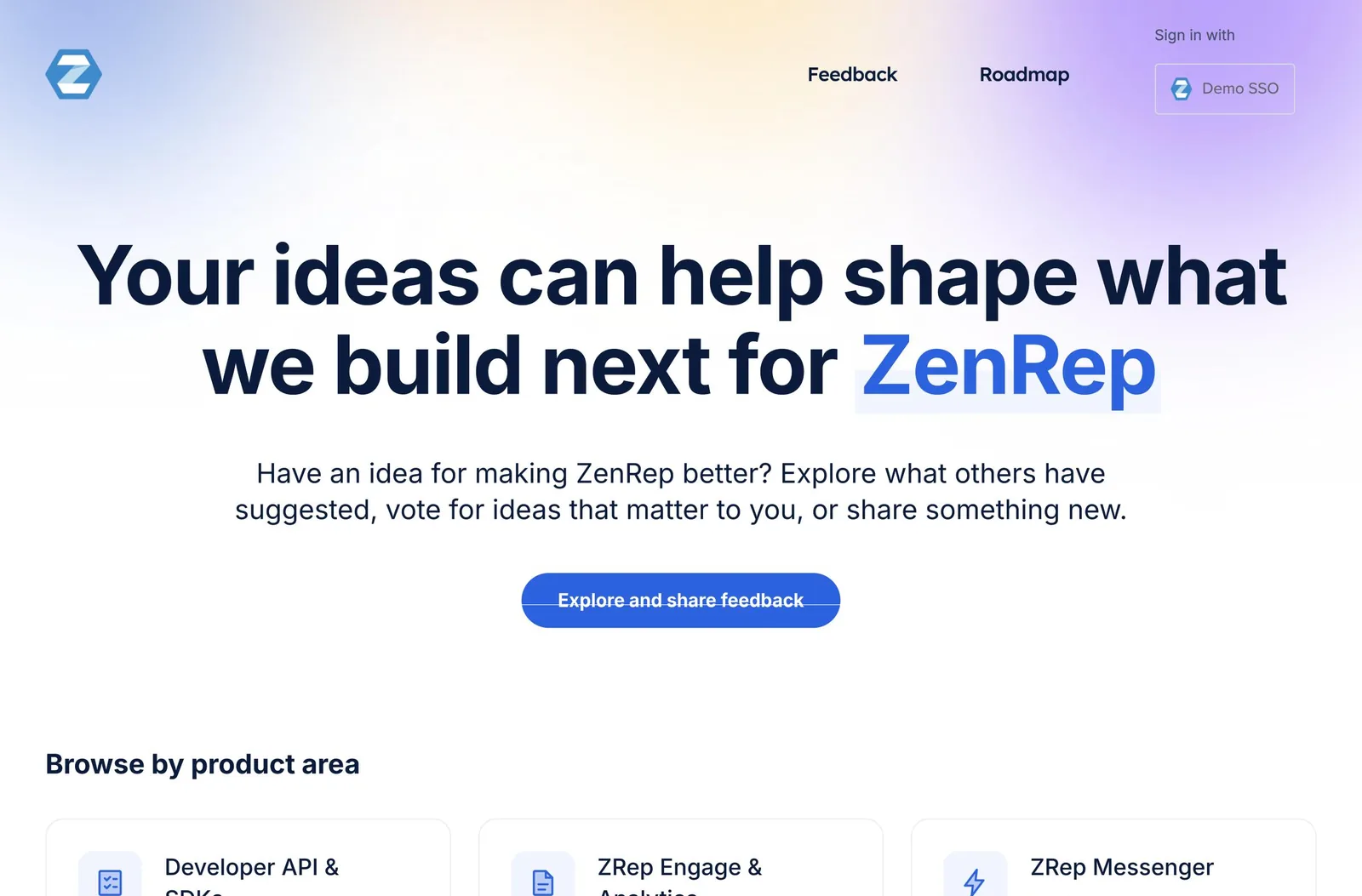
- A portal and an in-app widget for customers, with single sign-on so there's nothing new to log in to.
- Capture from where your teams work: the browser, Slack, Salesforce, and Zendesk.
- Duplicates come together, so one need with many voices shows up as one idea.
Who's asking, and what it's worth
Votes tell you how many. UserVoice also tells you who, and how much business is behind each request.
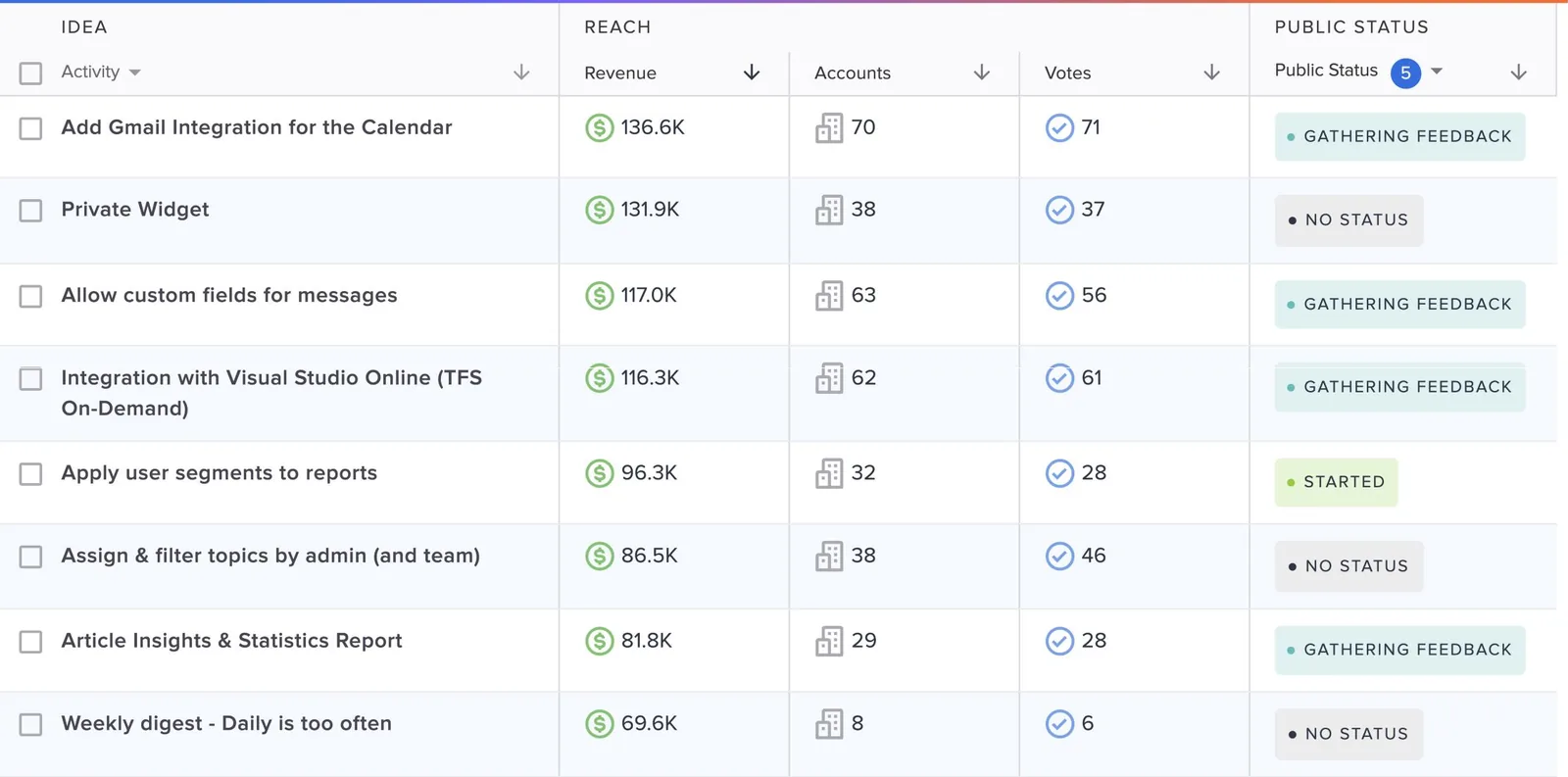
- Account and revenue data from Salesforce or HubSpot on every idea.
- Importance ratings that separate must-haves from nice-to-haves.
- Segments by plan, market, or region, to see what your best customers need.
From demand to decisions
Feedback is only useful if it changes what you build. UserVoice connects the request to the decision and to the work.
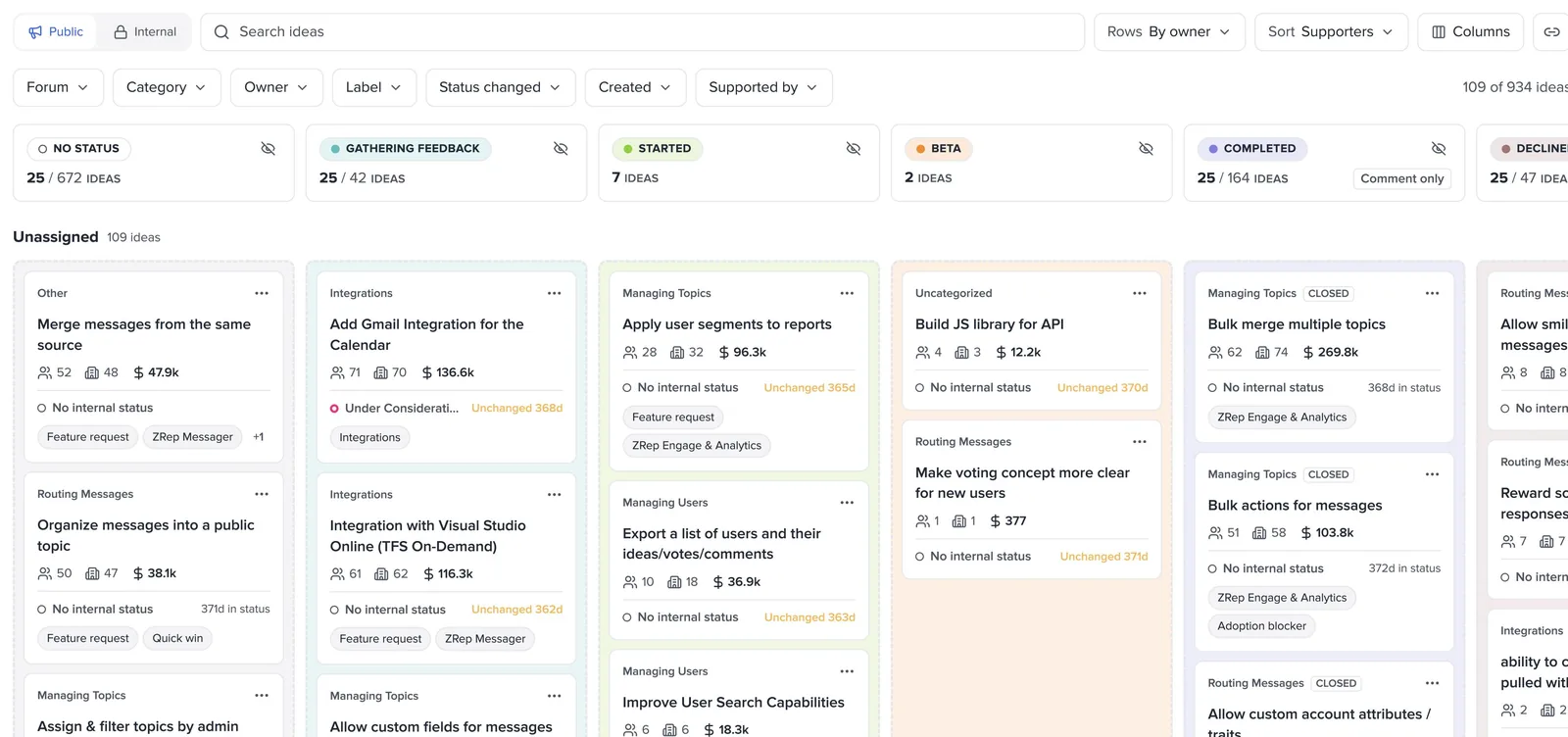
Group ideas into features and share what's coming.
Engineers see the customers behind the work.
Filter to one account before a renewal call.
Save a filtered board and share it with your team.
Close the loop
The fastest way to build trust is to tell people what happened to their idea. UserVoice does it in the same step as the decision.
Change an idea's status, and every supporter and the teammates who captured it hear about it.
Keep your team's working status separate from what customers see.
Status changes post to the Slack or Teams channels that care.
Declined ideas get an answer too, so customers aren't left waiting.
Closing the loop is what keeps feedback coming. Customers who hear back keep posting. Teams who see results keep capturing.
AI that works on your feedback
Ask questions about your feedback in plain language, and act on the answers, with you confirming every change.
Built into the admin console, for answers, themes, and cleanup.
Your feedback inside Claude, ChatGPT, and Codex.
Ready for the enterprise
UserVoice fits how larger companies work: many teams, many products, and a security review before anything goes live.
| You need | UserVoice gives you |
|---|---|
| Control over who sees what | Private forums, single sign-on, and roles and permissions for every team |
| Room for many products | Forums, categories, and separate instances for separate business units |
| Your tools, connected | Salesforce, HubSpot, Jira, Azure DevOps, Slack, Zendesk, and an API |
| A team behind it | Onboarding and help from people who run feedback programs every day |
Security questions? Your UserVoice rep can share current security documentation for your review.
What you'll see in a demo
A demo is a working session, not a slideshow. We'll show UserVoice on your kind of feedback, and leave you with a plan.
- How feedback from your portal, Sales, Success, and Support lands in one place.
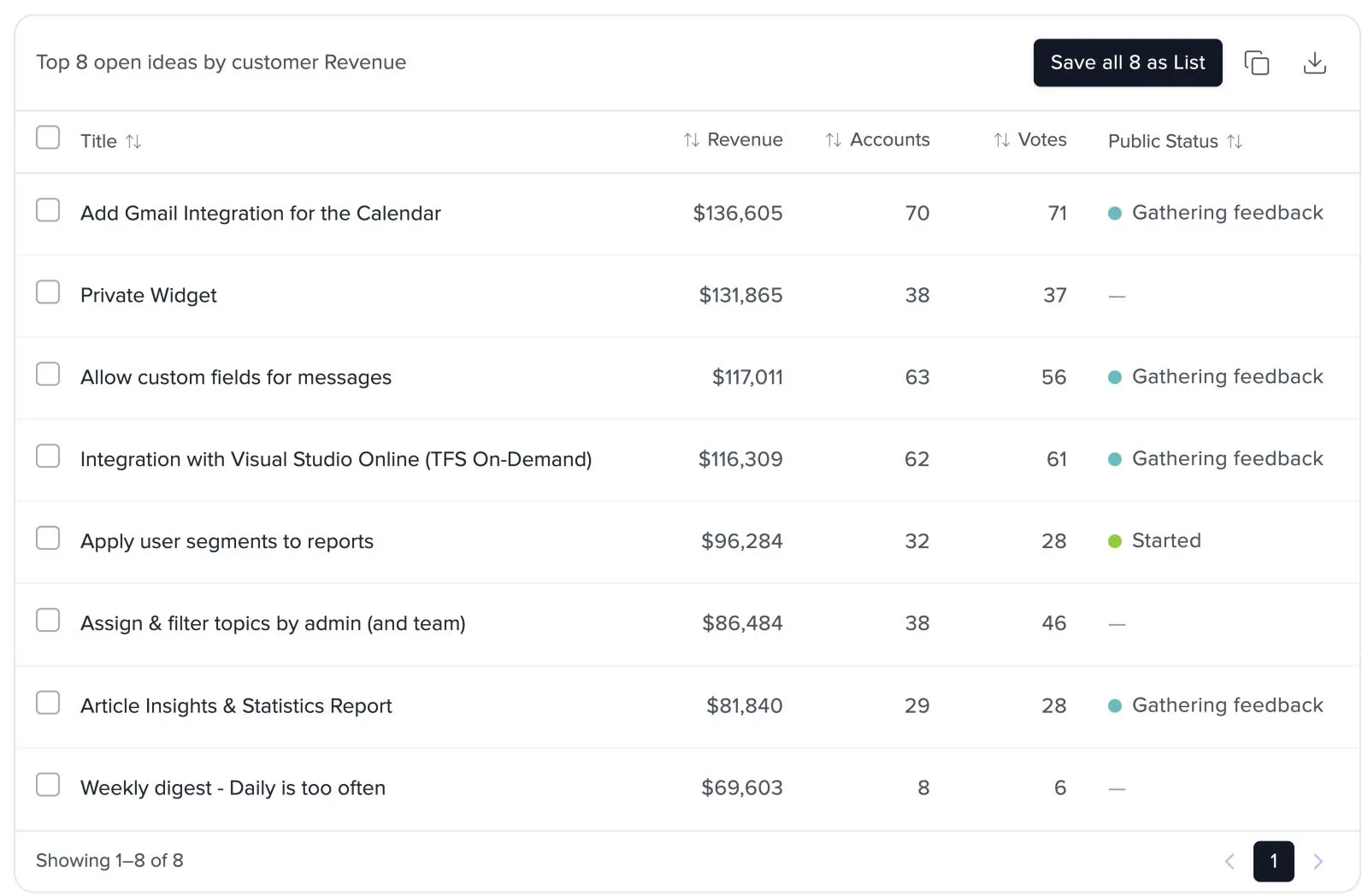
- Your most requested ideas, ranked by the revenue behind them.
- The Idea Status Board, filtered to a single account.
- The UserVoice agent answering a question you bring.
- How customers hear back when something ships.
Bring three things. A few requests you hear often, the tools your teams use today, and the question your leaders ask that you can't answer yet.
Read next
Get the full guide
We'll email you the 10-page PDF. It adds one thing that isn't on this page: