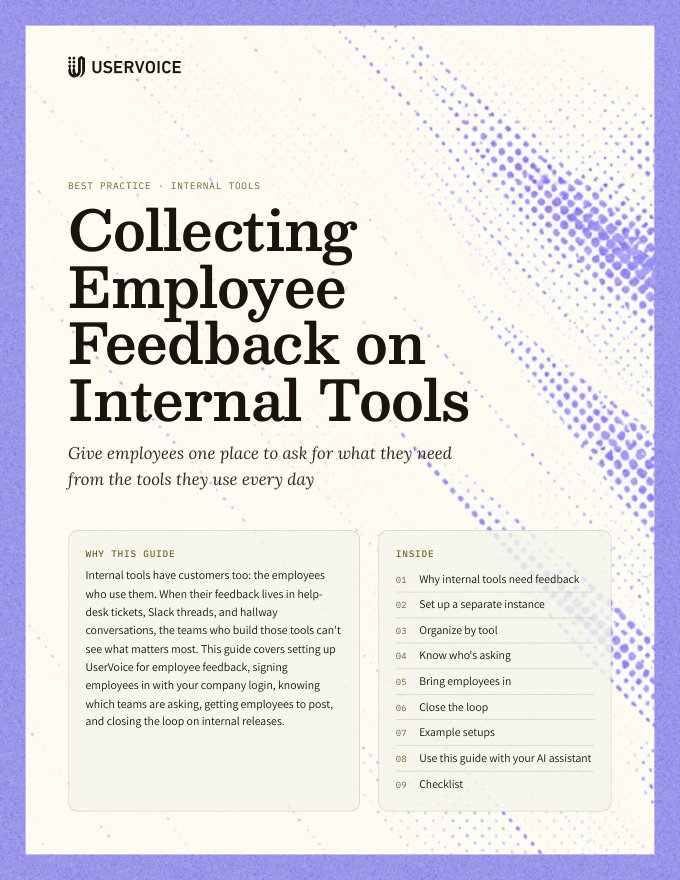
Collecting Employee Feedback on Internal Tools
Give employees one place to ask for what they need from the tools they use every day.
On this page
Internal tools have customers too: the employees who use them. When their feedback lives in help-desk tickets, Slack threads, and hallway conversations, the teams who build those tools can't see what matters most. This guide covers setting up UserVoice for employee feedback, signing employees in with your company login, knowing which teams are asking, getting employees to post, and closing the loop on internal releases.
Why internal tools need feedback
Employees can't switch to a competitor when an internal tool frustrates them. They work around it, and stop telling you.
One place to report what's slow or missing catches issues before they become workarounds.
Requests land on one idea that everyone can vote on, not in a dozen DMs.
See how many people and teams each request affects before you plan.
When a request ships, everyone who asked hears about it.
Set up a separate instance
Give employee feedback its own UserVoice instance, apart from any customer feedback you collect.
| Why separate | What it gives you |
|---|---|
| Employees and customers never mix | No chance of an internal request appearing where customers can see it |
| Its own statuses and workflow | Statuses that fit internal releases, such as “Scheduled for the next sprint” |
| Its own branding and admins | Owned by the teams that run the tools, such as IT or platform engineering |
| Its own reporting | Activity and trends for internal tools, without customer data mixed in |
- Restrict the whole site to signed-in employees, under General, Restrict access to your site.
- Sign employees in through your company's identity provider, with SAML or OpenID Connect, so there's no new password.
- Give each tool's owning team admin access, and help-desk staff contributor access.
Organize by tool
Employees think in terms of the tool in front of them. Organize the same way.
| Use | For | Example |
|---|---|---|
| Forums | Each tool or service with its own owning team | CMS, Developer platform, HR portal, IT services |
| Categories | Areas within a tool | Publishing, Search, Permissions, Mobile |
| Labels | Themes across tools | Accessibility, Performance, Onboarding |
| Owners | One person per tool or category who reads new ideas | The product owner for each internal tool |
Name forums the way employees name the tool. If everyone calls it “the CMS”, the forum is “CMS”, not the vendor's product name.
Know who's asking
For internal tools, the question isn't how much revenue is behind a request. It's how many people and teams it affects, and how badly.
| Detail | What it lets you see |
|---|---|
| Department or team | Whether a request comes from one team or the whole company |
| Role | Whether editors, engineers, or managers need it most |
| Location or region | Requests tied to an office, a language, or a time zone |
| Importance ratings | How much a request matters to each person who votes |
- Bring details in as user fields, imported from your HR system or sent through the API.
- Turn on importance ratings, so “annoying” and “blocks my work” look different.
- Use the Idea Status Board, filtered by tool, for a quick view of what's open, planned, and done.
Bring employees in
Put the way to give feedback where employees already work.
| Where | What to add |
|---|---|
| Inside the tool | The UserVoice widget, signed in with your company login, or a “Share feedback” link in the help menu |
| Slack or Teams | A pinned link in each tool's channel. In Slack, anyone can send a message to an idea. |
| The help desk | Agents capture requests from tickets with the browser extension, on the right idea |
| Onboarding | One line for new hires: where to suggest improvements to the tools they use |
Announcement
Close the loop
Employees keep giving feedback when they see it lead somewhere. Tell them every time it does.
- Post status updates with a message. Everyone who voted or posted gets the email.
- Send status updates to Slack, in the channel for each tool.
- Link ideas in internal release notes, and mark them Completed the same day.
- Share an internal roadmap with everyone at your company's email domain.
Status update: Completed
Example setups
Three common ways teams use UserVoice for internal tools.
| Setup | Forums | Who's asking | Closing the loop |
|---|---|---|---|
| A newsroom's publishing tools | CMS, Video, Newsletters, Analytics | Editors, producers, and reporters, by desk | Updates in each desk's Slack channel, and in editorial release notes |
| An internal developer platform | Deploys, Observability, Environments, Docs | Engineering teams, by team and role | Status updates, and a shared platform roadmap |
| IT and HR services | Laptops and access, HR portal, Expenses, Travel | Every employee, by department and office | Monthly “what we changed” notes from IT and HR |
Try it with your AI assistant
1 of 4 prompts in the PDFAttach the PDF to Claude, ChatGPT, or another assistant, then paste:
Using the UserVoice guide I attached, help me set up employee feedback for [tool]. Ask me about the tool, its users, and the team that owns it first.
Three more prompts and the checklist are in the full guide. Get it by email →
Read next
Get the full guide
We'll email you the 10-page PDF. It adds two things that aren't on this page:
- A six-step checklist to put the guide into practice
- Four AI prompts for Claude, ChatGPT, or your assistant of choice, including one that uses the UserVoice MCP to work with your own feedback data