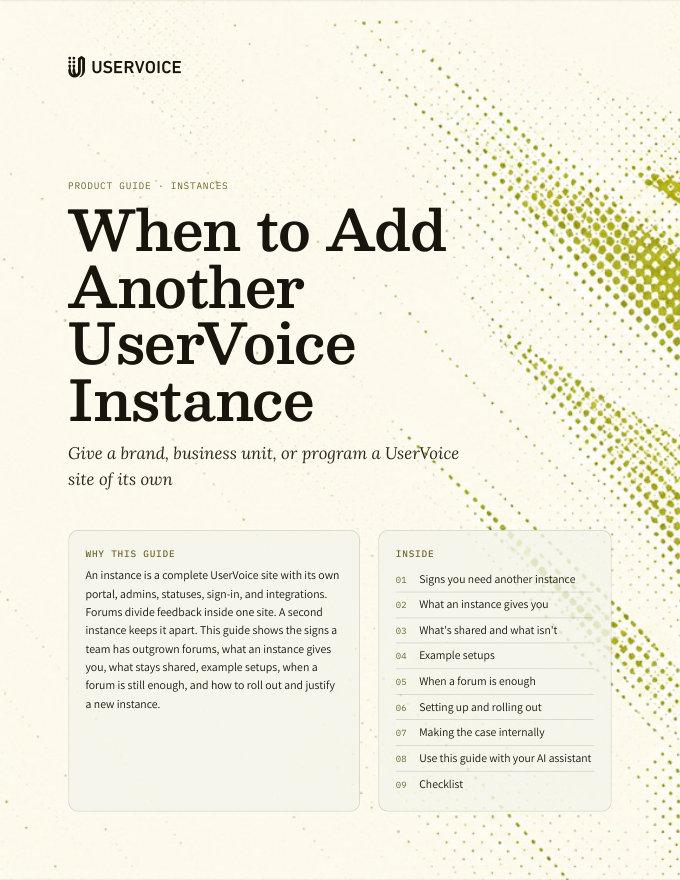
When to Add Another UserVoice Instance
What a separate UserVoice instance gives a brand, business unit, or program, and when a forum is enough.
On this page
An instance is a complete UserVoice site with its own portal, admins, statuses, sign-in, and integrations. Forums divide feedback inside one site. A second instance keeps it apart. This guide shows the signs a team has outgrown forums, what an instance gives you, what stays shared, example setups, when a forum is still enough, and how to roll out and justify a new instance.
Signs you need another instance
One site works while one team runs feedback for one audience. These are the signs that a group needs a site of its own.
Each brand has its own customers, website, and look, and its customers shouldn't land on another brand's portal.
A division or acquired company runs its own product team, statuses, and CRM, and shouldn't manage another unit's feedback.
Feedback on internal tools, owned by IT or platform teams, kept fully apart from customer feedback.
A program that needs its own sign-in rules, IP restrictions, and a small, named admin team.
A region with its own team that wants a portal in its own language, web address, and email sender.
A confidential beta where even the existence of the program, its statuses, and its admins must stay apart.
Separation is the reason to add an instance. If the group needs its own admins, statuses, brand, sign-in, or CRM, give it an instance. If it only needs its own space for ideas, a forum is enough.
What an instance gives you
Forums share everything set at the site level. An instance sets each of these on its own.
| A forum in your current site | Another instance | |
|---|---|---|
| Admins | Your one admin team sees and manages every forum, including private ones | Its own admins and contributors, with their own roles |
| Statuses | One set of public and internal statuses for every forum | Its own statuses, worded for its process |
| Portal and domain | One web address, design, and custom HTML and CSS | Its own web address, custom domain, design, and code |
| One sender address and email design | Its own sender address, domain, and logo | |
| Sign-in | One set of sign-in options, single sign-on, and site-wide restrictions | Its own sign-in options, SAML or OpenID Connect, IP restrictions, and site-wide privacy |
| CRM | One Salesforce or HubSpot connection | Its own Salesforce or HubSpot connection |
| Other integrations | One set of Jira, Azure DevOps, Slack, and Microsoft Teams settings | Its own integrations, API keys, and webhooks |
| Labels, segments, and custom fields | One shared list, managed by your one admin team | Its own lists |
| Reporting | Every forum, or filtered to one | Only its own feedback |
What's shared and what isn't
Instances run independently. A few things connect them for the people who manage and pay for them.
Your UserVoice rep adds the new instance alongside your current one, as part of your existing relationship.
An admin of more than one instance, using the same email address, jumps between them from the Subdomain menu under their avatar in the admin console.
Plans and add-ons apply to each instance, so each site gets what it needs.
Each instance has its own connection, so an assistant answers from that instance's feedback only.
What stays separate
- People. Each instance has its own user accounts. Someone who uses two of your portals has a separate profile, sign-in, and votes in each.
- Ideas and feedback. Ideas, votes, comments, and feedback stay in the instance where they were captured. UserVoice reports and the idea grid cover one instance at a time.
- Setup. Forums, statuses, labels, custom fields, sign-in, and integrations are configured in each instance. One Jira site can connect to more than one instance.
Separate is the point. If leadership needs one ranked list of demand across two groups, keep them in one instance as forums.
Example setups
An instance per brand
A consumer products company sells two brands, each with its own website and support team.
| Instance | Run by | Set up differently |
|---|---|---|
| ideas.brand-one.com | Brand One's product team | Brand One's design, sender address, and support integration |
| ideas.brand-two.com | Brand Two's product team | Brand Two's design, sender address, and support integration |
An instance for an acquired business
A software company acquires an analytics product that keeps its own team, roadmap, and Salesforce org.
| Instance | Run by | Set up differently |
|---|---|---|
| feedback.company.com | The platform team | The main Salesforce org and platform statuses |
| analytics.company.com | The analytics team | The acquired Salesforce org, its own statuses, and its own Jira project |
An instance for a regulated program
A financial software company runs a program for a regulated product line with stricter access rules.
| Instance | Run by | Set up differently |
|---|---|---|
| feedback.company.com | The core product team | A public portal with product-line forums |
| secure.company.com | A small, named team | SAML single sign-on, IP restrictions, site-wide privacy, and its own admins |
An instance for a region
A company with a European team that runs its own roadmap for local customers.
| Instance | Run by | Set up differently |
|---|---|---|
| feedback.company.com | The global product team | English portal and the global CRM |
| feedback.company.de | The European product team | A German-language portal, a German web address and sender, and the regional CRM |
An instance for employees
A software company gathers employee feedback on its internal tools.
| Instance | Run by | Set up differently |
|---|---|---|
| tools.company.com | IT and platform engineering | Sign-in through the company identity provider, the whole site restricted to employees, and statuses for internal releases |
Split only along the line that needs separating. Inside each instance, use forums for product lines, programs, and audiences, just as you would in one site.
When a forum is enough
Many first requests for a second site are met by forums. If your needs are all on this list, stay in one instance.
| What you need | How one instance covers it |
|---|---|
| A space for each product line | A forum per product line, each with its own categories |
| A group of beta testers kept out of the main forums | A private forum, open by invitation, email domain, or single sign-on |
| Different questions for each area | Custom questions scoped to the forums where they apply |
| Feedback in more than one language | A language set for each forum |
| A product manager per area | Categories that assign new ideas to an owner |
| One ranked view of all demand | Reports and the idea grid across every forum |
Some forum options depend on your plan. Your UserVoice rep can confirm what your current plan includes before you decide.
Setting up and rolling out
A new instance starts empty. Plan it like a small launch, owned by the team that will run it.
- Name the owner. Choose who runs the instance and who its admins and contributors are.
- Choose the web address. Pick the subdomain, and a custom domain if the site faces customers under its own brand.
- Brand it. Set the portal design, custom HTML and CSS if you use them, and the email sender and logo.
- Set sign-in. Turn on single sign-on with SAML or OpenID Connect, and restrict the site to signed-in people or known IP addresses if it is private.
- Build the structure. Create forums, categories, statuses, labels, and custom questions for this group's process.
- Connect its systems. Connect its CRM, Jira or Azure DevOps, Slack or Microsoft Teams, and the UserVoice agent.
- Invite and announce. Invite admins and contributors, then link the portal from the places its users already go.
Decide where feedback belongs first. Each instance keeps its own ideas, votes, and voters, so settle which group posts where before you announce the new site.
Making the case internally
The case for an instance rests on what each team gains, and on what sharing one site costs today.
| Who | What they gain |
|---|---|
| The team that gets the instance | Its own admins, statuses, and roadmap language, with no workarounds |
| Its customers | A portal with their brand, web address, and sign-in |
| Security and compliance | Access limited to a named admin team, with separate sign-in and IP rules |
| Revenue teams | Feedback tied to the right CRM, so revenue and accounts are accurate |
| Leadership | Clean reporting for each brand or business unit |
What it costs not to separate
- Too much access. Every admin sees every forum, so confidential feedback is visible to people who don't need it.
- Compromised statuses. One status set has to fit every team, so customers see wording that doesn't match the work.
- Missing revenue data. A business unit on another CRM shows no accounts or revenue behind its ideas.
- Brand confusion. Customers of one brand land on a portal designed for another.
- Workarounds that decay. Naming conventions and labels stand in for separation until someone forgets them.
Try it with your AI assistant
1 of 3 prompts in the PDFAttach the PDF to Claude, ChatGPT, or another assistant, then paste:
Using the UserVoice guide I attached, help me decide whether we need another instance. Ask me about our brands, business units, admins, sign-in needs, and CRMs first, then recommend forums or instances in the guide's format.
Two more prompts and the checklist are in the full guide. Get it by email →
Read next
Get the full guide
We'll email you the 11-page PDF. It adds two things that aren't on this page:
- A seven-step checklist to put the guide into practice
- Three AI prompts for Claude, ChatGPT, or your assistant of choice, including one that uses the UserVoice MCP to work with your own feedback data