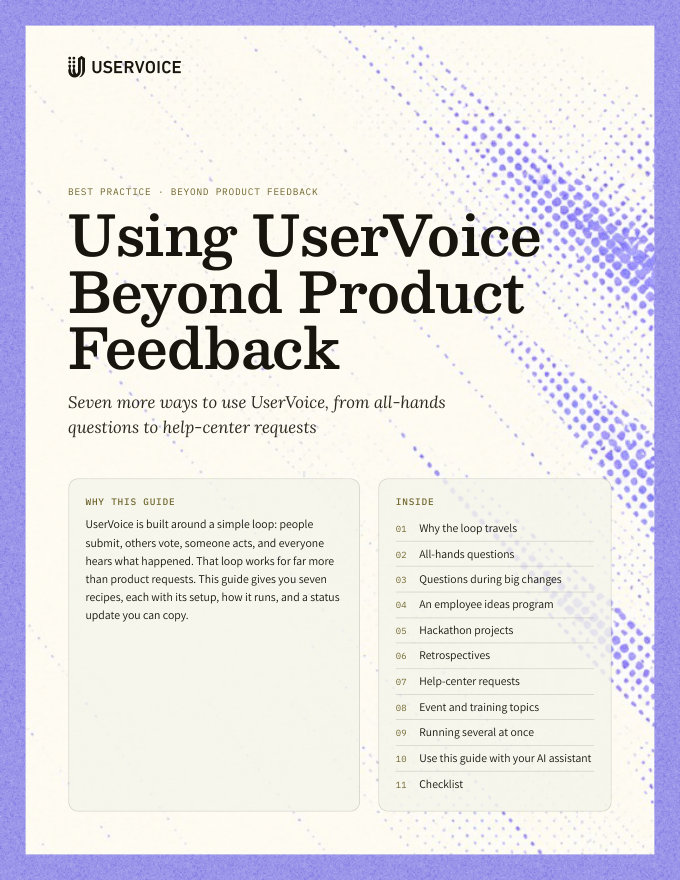
Using UserVoice Beyond Product Feedback
Seven more ways to use UserVoice, from all-hands questions to help-center requests.
On this page
UserVoice is built around a simple loop: people submit, others vote, someone acts, and everyone hears what happened. That loop works for far more than product requests. This guide gives you seven recipes, each with its setup, how it runs, and a status update you can copy.
Why the loop travels
Any time a group has more questions or ideas than time, and wants to know what happened to theirs, the same four steps apply.
| Step | In UserVoice | Why it matters |
|---|---|---|
| Submit | Anyone posts in a forum, from the portal, the widget, or Slack | One place, instead of a chat thread nobody can follow |
| Vote | Others vote, comment, and rate importance | The group decides what matters most, not the loudest voice |
| Act | An owner picks the top items and acts on them | Effort goes where the votes are |
| Close the loop | A status update, with a message, emails everyone who took part | Nothing disappears, including what you didn't get to |
Employee recipes need a private home. The all-hands, big-change, employee ideas, hackathon, and retrospective recipes are for employees. Run them on an instance restricted to signed-in employees, apart from customer feedback.
All-hands questions
Employees submit questions before each all-hands and vote. Leaders answer the top questions live, and answer the rest in writing, so every question gets a response.
| Set up | |
|---|---|
| Forum | All-hands questions, with a category for each meeting |
| Who can see it | Every employee, signed in with their work account |
| Statuses | Answered live, Answered in writing |
| Rhythm | Open a week before each all-hands, and close out within a week after |
How it runs
- Open the meeting's category a week ahead, and announce it in Slack.
- Employees post questions and vote on others'. Merge duplicates as they come in.
- The day before, take the top questions by votes into the agenda.
- After the meeting, mark those Answered live, with a link to the recording.
- An executive answers every remaining question, and marks it Answered in writing with the answer as the message.
Status update
Questions during big changes
A reorganization, an acquisition, an office move, or a benefits change raises the same questions over and over. Collect them in one place, answer the most-asked first, and publish the answers.
| Set up | |
|---|---|
| Forum | Questions about [the change], with categories by topic, such as timing, teams, and benefits |
| Who can see it | The employees affected, or everyone |
| Statuses | Answered, Still deciding, Answered in the FAQ |
| Rhythm | Daily for the first week, then weekly until the change is complete |
How it runs
- Open the forum the day the change is announced, and link it from the announcement.
- Assign an owner to each category, such as HR for benefits and leadership for teams.
- Answer the most-voted questions first, and merge duplicates so each answer reaches everyone who asked.
- When the answer isn't known yet, say so with Still deciding, and when you expect to know.
- Collect the answers into an FAQ, and mark those questions Answered in the FAQ with a link.
Status update
An employee ideas program
Employees see problems and opportunities every day. Give them one place to suggest improvements to products, processes, and culture, and show that ideas get a real hearing.
| Set up | |
|---|---|
| Forum | Employee ideas, with categories such as Product, Customers, Process, and Workplace |
| Who can see it | Every employee |
| Statuses | Under review, Piloting, Adopted, Not now |
| Rhythm | A review panel meets each quarter |
How it runs
- Launch with a clear scope: what kinds of ideas, and who reviews them.
- Employees post ideas, vote, and rate how important each one is to them.
- Each quarter, the panel reviews the top ideas by votes and importance.
- Mark ideas you'll try as Piloting, and the ones you'll keep as Adopted. Thank the people behind them at the all-hands.
- Explain every Not now. A reason keeps people suggesting.
Status update
Hackathon projects
Let the company choose what gets built. Teams pitch projects, colleagues vote, and the winners get built during the hackathon.
| Set up | |
|---|---|
| Forum | Hackathon [date], one per event |
| Who can see it | Every employee |
| Statuses | Selected, Built, Not selected this time |
| Rhythm | Pitches open two weeks before, voting closes a few days before |
How it runs
- Open the forum two weeks before the event. Each project idea is a post.
- People vote, and comment to say they'd like to join a team.
- When voting closes, mark the top projects Selected, and form teams from the comments.
- After the event, mark each project Built, with a link to the demo.
- Mark the rest Not selected this time, and invite them back next event.
Status update
Retrospectives
After a launch or a quarter, ask the team what to keep, change, or stop. Votes decide what you discuss, and status updates track what you do about it.
| Set up | |
|---|---|
| Forum | Retrospectives, with a category for each one |
| Who can see it | The team, or everyone involved |
| Statuses | Discussed, Action item, Done |
| Labels | Keep, Change, Stop |
How it runs
- Open the retro's category a few days before the meeting.
- People post items with a Keep, Change, or Stop label, and vote on others'.
- In the meeting, start with the most-voted items.
- Mark items you'll act on as Action item, with an owner in the message.
- Mark them Done when they're done, so the next retro starts from progress.
Status update
Help-center requests
Customers know which articles are missing. Let them ask and vote, write the most-requested first, and close each request with a link to the article.
| Set up | |
|---|---|
| Forum | Help-center requests, with categories by product area |
| Who can see it | Customers, on your portal |
| Statuses | Writing, Published, Not planned |
| Rhythm | The docs team reviews requests every two weeks |
How it runs
- Add a “Request an article” link to your help center's header and to every article's footer.
- Customers post requests and vote. Merge duplicates as they come in.
- The docs team writes the most-requested articles first.
- Mark each request Published, with the article's link in the message.
- Update older requests when a new article covers them.
Status update
Statuses are shared across an instance. Choose status names that make sense for every forum on the instance, or run this recipe where its statuses fit.
Event and training topics
Before you build an agenda, ask the people who'll attend. Customers vote on webinar, conference, and training topics, and hear when their topic is scheduled.
| Set up | |
|---|---|
| Forum | Event topics, with categories for webinars, conference sessions, and training |
| Who can see it | Customers, or only the attendees you invite |
| Statuses | Selected, Scheduled, Recorded |
| Rhythm | A voting window before each agenda is set |
How it runs
- Open topic suggestions a month before the agenda is due.
- Customers suggest topics, vote, and rate how important each is to them.
- Build the agenda from the top topics, and mark them Selected.
- When a session is booked, mark it Scheduled, with the date and the sign-up link.
- Afterward, mark it Recorded, with a link to the recording.
Status update
Running several at once
Most recipes need only one forum each, so you can run several side by side.
| Recipe | Where it runs | Owner |
|---|---|---|
| All-hands questions | Employee instance | Internal communications |
| Questions during big changes | Employee instance | HR and leadership |
| Employee ideas program | Employee instance | A review panel |
| Hackathon projects | Employee instance | The event organizer |
| Retrospectives | Employee instance | Each team lead |
| Help-center requests | Your customer instance | The docs team |
| Event and training topics | Your customer instance | Marketing or education |
- Give every forum an owner, and put its rhythm on their calendar.
- Agree on status names that work for every forum on the same instance.
- Start with one recipe, run it for a cycle, and add the next once it works.
Try it with your AI assistant
1 of 4 prompts in the PDFAttach the PDF to Claude, ChatGPT, or another assistant, then paste:
Using the UserVoice guide I attached, help me plan [recipe] for [company]. Ask me about our team, our rhythm, and who will own it first.
Three more prompts and the checklist are in the full guide. Get it by email →
Read next
Get the full guide
We'll email you the 12-page PDF. It adds two things that aren't on this page:
- A six-step checklist to put the guide into practice
- Four AI prompts for Claude, ChatGPT, or your assistant of choice, including ones that use the UserVoice MCP to work with your own feedback data