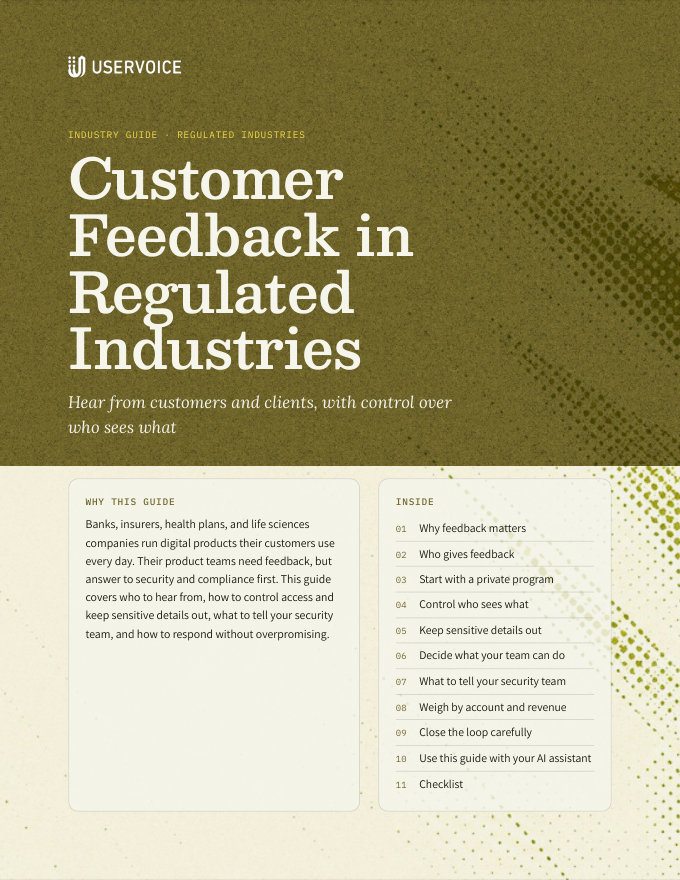
Customer Feedback in Regulated Industries
Run a feedback program for financial services, insurance, and healthcare with private forums, SSO, moderation, and careful replies.
On this page
Banks, insurers, health plans, and life sciences companies run digital products their customers use every day. Their product teams need feedback, but answer to security and compliance first. This guide covers who to hear from, how to control access and keep sensitive details out, what to tell your security team, and how to respond without overpromising.
Why feedback matters
Members, policyholders, patients, advisors, and clinicians now reach you through apps and portals. What they ask of those products decides whether they stay.
Mobile banking, claims, enrollment, and patient portals are where customers judge you. Feedback shows where they get stuck.
High switching costs keep customers through frustration, until a renewal or a better offer. Feedback shows you the frustration early.
Employers, plan sponsors, banks, and health systems renew every few years. Their requests carry real revenue.
Customers, client administrators, advisors, and your own staff all ask for changes. Without one place to collect them, the loudest voice wins.
This guide also fits software companies that sell to these industries. Your customers bring the same security reviews and the same caution about what they share.
Who gives feedback
Most regulated businesses hear from four groups. Each one needs a different way in.
| Group | What they tell you about | How it reaches UserVoice |
|---|---|---|
| End customers: members, policyholders, patients, and account holders | Your apps, portals, statements, enrollment, and claims or payment flows | A portal, often private and signed in through your SSO |
| Institutional and enterprise clients | Administration, reporting, integrations, and controls their organization needs | The same portal, with each user tied to their account and revenue from your CRM |
| Advisors, brokers, and agents | The tools they use to serve your customers | The same forums, identified by a user field so you can filter their requests |
| Your own staff | What customers tell them, and the internal tools they work in | Captured by your teams as feedback on the customer's behalf, or an internal program for internal tools |
Your front line hears more than your portal does. Call centers, relationship managers, and account teams talk to customers every day. Give them a way to capture what they hear, tied to the customer who said it.
Start with a private program
Security and legal reviews go faster for a small, private program with clear rules. Prove the process, then widen it.
- Open a private forum by invitation for a group of engaged customers or client administrators.
- Write the forum's prompt and welcome message to say what to share, and what not to share.
- Turn on moderator approval, so you review every idea and comment before anyone else sees it.
- Agree on a review rhythm you can keep, such as every two weeks, and state it in the welcome message.
- Add your customer-facing teams as contributors, so they capture what they hear.
- Review what came in with your compliance contact after the first month, then decide how far to open it.
Control who sees what
You decide who can see each forum, and whether anyone can see your portal without signing in.
| Control | What it does |
|---|---|
| Private forums | Only authorized users see the forum. Authorize people by invitation, by approved email domain, by IP address, or as signed-in SSO users. Others see an access denied message you write. |
| Access requests | Optionally, people can see a private forum exists and request access, which an admin approves. |
| Restricted portal | Restrict access to your entire portal, so only signed-in SSO users, admins, and approved IP addresses can view it. |
| Single sign-on | Customers sign in with your existing login. UserVoice supports SAML, OpenID Connect (OIDC), and its own SSO token. |
| Per-user forum access | Your SSO token can grant each user access to specific private forums, so access follows your own records. |
Let SSO decide who gets in. When access comes from the login your customers already use, someone who leaves a client organization loses portal access when they lose their account with you.
Keep sensitive details out
Most people don't mean to overshare. Tell them what to leave out before they type, and check what comes in.
- Write the prompt and placeholder. Each forum's prompt is the question people see, and its placeholder text sits in the new idea field. Use them to ask for the idea, not the account details.
- Say it in the welcome message. Name what not to include: account, policy, member, or claim numbers, balances, diagnoses, and anything about another person.
- Require moderator approval. Ideas and comments stay out of public view until a moderator approves them.
- Let users report content. When enough people report an idea or comment, it goes back to moderation.
- Edit or remove what slips through. Admins can edit an idea's title and description, and edit or delete comments.
- Turn on the profanity filter for public forums, so profanity is replaced with asterisks.
Welcome message
Healthcare and life sciences
Feedback about a patient portal, a care app, or a clinical tool is about how the product works. It never needs anyone's health information.
Never ask for patient health information in ideas. Don't ask people to describe their condition, treatment, or care to explain an idea, and don't create custom questions that would collect it. If a post includes health details, edit them out or remove the post, and follow your own privacy procedures.
| Instead of | Ask for |
|---|---|
| “Describe your diagnosis so we understand the need” | “What were you trying to do, and what got in the way?” |
| A patient's story in a clinician's idea | The workflow step and how often it happens |
| Screenshots of a patient record | A description of the screen, with no patient data |
Feedback your teams capture stays in the admin console. Feedback captured on a customer's behalf isn't shown on your portal. Your team still decides what to write in it, so the same rules apply.
Decide what your team can do
Give each person on your team the access their job needs, and no more.
| Role or setting | What it controls |
|---|---|
| Admin | Works with ideas in the admin console, with permissions set per person. |
| Contributor | Captures feedback on behalf of customers, from the admin console and tools like the browser extension and Slack. |
| Ideas permission | Enabled lets someone manage ideas. Limited lets them view without changing anything. |
| Settings permission | Choose settings, billing, and permissions (the owner), settings only, or no access to settings. |
| Read-only revenue access | Choose whether read-only admins and contributors can see revenue data. |
| Revoke access | Remove someone's admin access when they change roles or leave. |
Keep owners few. Only owners change billing and permissions. Two or three is enough for most teams.
Admins can be limited to your SSO. Each SSO provider can be hidden from admin or portal sign-in pages, and UserVoice can turn off other sign-in methods for admins on your account. Ask your UserVoice rep.
What to tell your security team
Your security, privacy, and compliance teams will ask how access, data, and deletion work. Here is what you can tell them.
| They ask | The answer |
|---|---|
| How do people sign in? | Through your identity provider with SAML or OIDC, through the UserVoice SSO token, or with UserVoice accounts. Each SSO provider can be hidden from admin or portal sign-in. |
| Who can see the feedback? | You choose per forum. Private forums show only to authorized users, and you can restrict the whole portal to signed-in users and approved IP addresses. |
| Who on our team can see or change it? | Admins and contributors have permissions set per person, including whether they see revenue data. |
| Can we screen content before it's public? | Yes. Moderator approval holds ideas and comments until a moderator approves them. |
| Can we delete someone's data? | Yes. Deleting a user removes their personal data. Their comments, and ideas others support, are attributed to a “[Deleted]” user. Their other ideas are deleted. |
| Can people delete their own profile? | Yes, from their settings on the portal. |
| Can we answer a data access request? | Yes. The UserVoice API can export a user's data, and delete a user. |
| Who gets privacy notices? | The privacy contact email you set in your account settings. |
Certifications and documentation
Questionnaires also ask about certifications, hosting, encryption, data retention, and subprocessors. Those answers change over time, so get them from the source.
Ask your UserVoice rep for current security documentation. Use the current documents for your vendor review, not a summary in a guide. Your rep can also tell you which controls in this guide your plan includes.
| Before your review | Why it helps |
|---|---|
| List the audiences and forums you plan to open | Reviewers can judge each one, instead of the whole program |
| Show the welcome message and moderation setup | It shows how you keep sensitive details out |
| Name who on your team gets admin access, and at what level | It shows access is limited to people who need it |
| Agree how you'll handle a deletion request | Privacy teams want the process written down before launch |
Start the review with the pilot. A private forum for a small group, with moderator approval on, is easier to approve than a public portal. Widen it after the first review.
Weigh by account and revenue
A request from an institutional client renewing next year and a request from one end user are different signals. Connect your CRM so you can tell them apart.
| Detail | How it gets into UserVoice | What it lets you do |
|---|---|---|
| Accounts and revenue | Salesforce or HubSpot sync | Sort ideas by the revenue of the accounts behind them |
| Segment, line of business, or region | Account fields from your CRM | Compare what retail, commercial, or group clients want |
| Renewal date | Account fields from your CRM | See what renewing clients are waiting on |
| Role: customer, administrator, advisor, or clinician | User fields, through SSO or the API | Filter requests from each group |
Weigh end customers by count, institutions by revenue. Thousands of members asking for one fix matters as much as one large client asking. Look at both views before you decide.
Close the loop carefully
Customers in regulated industries read updates closely. Say what changed, don't promise dates, and keep other customers' names out.
- Post status updates with a message. Everyone who voted or posted gets the email, so write it for all of them.
- Describe direction, not dates. “We're working on this” holds up. “Coming in March” becomes a commitment.
- Don't name clients or quote them in public updates, even when a large client asked first.
- Have someone review sensitive updates. Changes to pricing, fees, coverage, or eligibility may need a compliance review before you post.
- Explain a “not now”. A short reason keeps trust. Silence doesn't.
Status update: Planned
Status update: Not planned
Try it with your AI assistant
1 of 4 prompts in the PDFAttach the PDF to Claude, ChatGPT, or another assistant, then paste:
Using the UserVoice guide I attached, help me plan a pilot feedback program for [company] in [industry]. Ask me about our customers, clients, and compliance review first.
Three more prompts and the checklist are in the full guide. Get it by email →
Read next
Get the full guide
We'll email you the 14-page PDF. It adds two things that aren't on this page:
- A seven-step checklist to put the guide into practice
- Four AI prompts for Claude, ChatGPT, or your assistant of choice