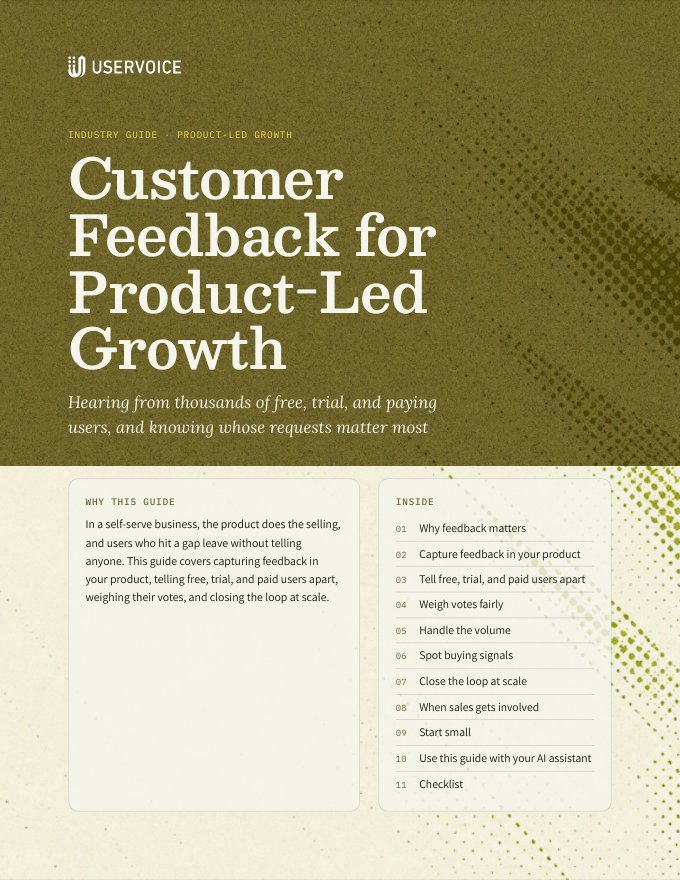
Customer Feedback for Product-Led Growth
Capture feedback in your product, tell free, trial, and paying users apart, and spot what blocks conversion and drives expansion.
On this page
In a self-serve business, the product does the selling, and users who hit a gap leave without telling anyone. This guide covers capturing feedback in your product, telling free, trial, and paid users apart, weighing their votes, and closing the loop at scale.
Why feedback matters
When users sign up, try, and buy on their own, nobody is in the room when they decide to leave. Feedback is how you hear the reasons.
New users who hit a missing piece in their first week often never come back. Their requests show what stands between sign-up and first value.
Trial users who can't do the one thing they came for don't upgrade, and they rarely write to say why.
Paying teams ask for the features that would justify more seats or a higher plan. Their requests point to your next tier.
Users leave silently. A request that goes unanswered for months is often the only warning you get.
Analytics show where users drop off. Feedback shows why. Read the two together: a funnel step with heavy drop-off and a cluster of ideas about the same screen is a strong signal.
Capture feedback in your product
Most of your users will never visit a separate site to leave feedback. Ask them where they already are: inside your product.
| What you set up | What it does for users |
|---|---|
| The UserVoice widget in your app | Users post an idea or vote without leaving your product. As they type, the widget shows related ideas, so many vote on an existing idea instead of posting a duplicate. |
| Signed-in users | Your product passes each user's email and name when the widget loads, or signs them in with SSO. The widget doesn't ask for an email address, and nobody creates another login. |
| Contextual placement | Open the widget from your own button or link, embed it inside a page, and point it at the forum for that part of the product. |
| Updates on every vote | A user who votes from the widget is subscribed to the idea and hears when its status changes. |
Put the widget where the friction is. Good places to start are the upgrade page, the settings for a feature users often ask about, empty states, and the end of onboarding. A link in the help menu is easy to add, but few users go looking for it.
Tell free, trial, and paid users apart
A vote from a trial user on day three and a vote from a paying team of fifty aren't the same signal. Pass each user's plan and account to UserVoice when the widget loads.
The identify call
UserVoice.push(['identify', {
  email:      'jordan@example.com',
  name:       'Jordan Lee',
  created_at: 1767225600,     // when the user signed up
  type:       'Admin',        // the user's role in your product
  account: {
    id:         'acct_4821',  // groups users into one account
    name:       'Example Co.',
    plan:       'Trial',      // e.g. Free, Trial, Team, Business
    revenue:    0,            // what the account pays you
    created_at: 1767225600
  }
}]);Older install snippets use monthly_rate and ltv. Both still work. If revenue isn't passed, UserVoice uses monthly_rate as the account's revenue. Any other trait you pass is saved once you set it up as a user or account field in UserVoice.
Turn plans into segments
A segment is a saved group of users, defined by user and account properties such as plan, revenue, user type, sign-up date, and your own fields. Each segment adds its own Votes, Accounts, and Revenue columns to the idea grid, and works as a filter.
| Segment | Defined by | What it shows |
|---|---|---|
| Free users | Account plan is Free | Broad demand across your user base |
| Trial users | Account plan is Trial | What people evaluating you need before they buy |
| Paying customers | Account revenue is greater than 0 | What the business already depends on |
| New sign-ups | User sign-up date is in the last 30 days | Gaps that stop activation |
| Top plan | Account plan is your highest tier | What your largest self-serve customers need |
Choose one source of account data. Connect one CRM per workspace. Once Salesforce or HubSpot is connected, account details in UserVoice come from the CRM, not from the traits your product passes. Many product-led teams start with traits from the product and connect the CRM when a sales team needs it.
Segments are shared. Everyone on your UserVoice team sees the same segments. Agree on names and plan values before you create them.
Weigh votes fairly
Free users usually outnumber paying ones many times over, so a raw vote count mostly measures your free tier. Don't throw those votes out. Read them next to who's asking.
Put Free, Trial, and Paying columns side by side. An idea with 900 free votes and 4 paying ones tells a different story from one with the reverse.
The Accounts column counts each account once, so a single enthusiastic team doesn't look like fifty customers.
Sort by revenue to see what paying accounts depend on. Free and trial accounts add no revenue but still count as accounts.
Combine votes, accounts, revenue, segment columns, and your own fields, such as effort, into a feature score your team agrees on.
What free-user demand tells you
| Pattern | What it may mean |
|---|---|
| Many free votes, few paid | An acquisition or free-tier feature, or a sign the free plan attracts users who won't pay |
| Heavy trial votes | A possible conversion blocker. Check whether those trials converted. |
| Free and paid both want it | Broad demand. Strong candidate for the roadmap. |
| Mostly paid, high revenue | Retention and expansion. Weigh it against accounts at risk. |
Handle the volume
Thousands of users means thousands of ideas, many of them the same request in different words. A short, regular routine keeps the backlog usable.
The widget and your portal show related ideas as people type, so many vote instead of posting again.
UserVoice flags likely duplicates on the idea grid. Merging moves votes and comments to the idea you keep, counts each person once, and can be undone.
Set categories by product area in each forum. Users choose one when they post, so ideas arrive already sorted.
Add labels for themes that cut across categories, such as onboarding, pricing page, or upgrade blocker.
Ask it for the themes across hundreds of ideas, or only those from trial accounts. It can merge ideas and add labels, and nothing changes until you confirm.
Thirty minutes a week on new ideas, Merge Matches, and labels keeps the volume from piling up.
Spot buying signals
The same data that tells you what to build tells you who is close to buying, and what's in their way.
| Signal | Where you see it | What to do |
|---|---|---|
| Ideas popular with trial users | Your Trial segment's columns, sorted by votes or accounts | Check whether trials that asked for it converted. If not, it may be a conversion blocker. |
| Requests from accounts near an upgrade | A segment on plan plus your own field, such as seats or usage | Share the account with whoever owns upgrades, with the ideas it supports |
| Requests for a higher-plan feature | Ideas a lower plan supports that a higher plan already includes | Reply on the idea with how to get it. It's an upgrade lead, not a roadmap item. |
| Requests from new sign-ups | Your New sign-ups segment | Fix onboarding gaps first. They affect every new user. |
Segments reflect each account's current plan. When a trial user upgrades, their votes move into your paid segments. To keep a record of what held trials back, label those ideas when you review them, for example with upgrade blocker.
Close the loop at scale
With thousands of supporters on one idea, closing the loop is the cheapest marketing you have. Every status update reaches people who already want the feature.
- Post status updates with a message. Everyone who supports the idea gets the email, whether they voted on your portal, in the widget, or were added by your team.
- Update many ideas at once. Select several ideas on the idea grid and post one status update to all of them.
- Announce it in your product. Use your in-app messaging tool to show the news to active users, and link to the idea.
- Link release notes to ideas, with how many users asked.
- Explain a “not now”. Users accept a reason. They don't accept silence.
Status update: Completed
When sales gets involved
Most product-led companies add a sales team for larger accounts. Their requests arrive through calls and emails, not the widget, and they carry more revenue per account.
| What you set up | What it gives you |
|---|---|
| Salesforce or HubSpot sync | Accounts and contacts, with plan, a revenue field you choose, account status, and custom fields such as a renewal date |
| Capture from sales and success | The browser extension, the Salesforce sidebar, and Slack, so reps add feedback to an idea from wherever they work |
| Opportunity revenue | With Salesforce, each idea shows the open and lost opportunities behind it |
| Account pages | Every idea an account supports, with its status, before an upgrade or renewal call |
| The Idea Status Board | Filtered to one account, it shows where each of its requests stands |
Keep everyone in the same forums. Requests from sales-assisted accounts land on the same ideas as self-serve votes. That's what lets you compare a thousand free votes with five enterprise accounts.
Start small
The risk in a product-led program isn't too little feedback. It's more than you can answer. Start where you can keep up.
- Add the widget in one or two places for signed-in users, passing plan and revenue with the identify call.
- Create three segments: Free, Trial, and Paying.
- Set a weekly review for new ideas, Merge Matches, and labels, with a named owner.
- Post status updates on your top ideas in the first month, so early users see results.
- Add the people who talk to customers as contributors, so sales and support feedback lands on the same ideas.
- Add more placements once the review rhythm holds.
Only ask where you'll answer. A widget on every screen with no replies teaches users that feedback goes nowhere. Two placements with steady status updates teach the opposite.
Try it with your AI assistant
1 of 4 prompts in the PDFAttach the PDF to Claude, ChatGPT, or another assistant, then paste:
Using the UserVoice guide I attached, help me plan where to place the feedback widget in [product]. Ask me about our onboarding, upgrade flow, and plans first.
Three more prompts and the checklist are in the full guide. Get it by email →
Read next
Get the full guide
We'll email you the 13-page PDF. It adds two things that aren't on this page:
- A seven-step checklist to put the guide into practice
- Four AI prompts for Claude, ChatGPT, or your assistant of choice, including one that uses the UserVoice MCP to work with your own feedback data